Blog

  • 7 Best StoriesIG Alternatives That Work in 2026

    7 Best StoriesIG Alternatives That Work in 2026

    StoriesIG won’t load again, or it finally buried you under one pop-up too many, and all you wanted was to check a public story without logging in. Sound familiar?

    Here’s the thing, guys: most “StoriesIG alternative” lists are either ancient, sponsored, or written by people who never opened a single one of these tools. So let me do this properly.

    I’m the guy who built anonimogram, an anonymous story viewer of my own, which means I’ve spent an unhealthy amount of time opening, testing, and watching these tools break in real time.

    Below are 7 alternatives that actually work right now, with honest pros, honest cons, and the traps to dodge.

    No login needed for any of them, no surveys, and this part matters: none of them can show you private accounts, no matter what their copy implies.

    Why Everyone’s Looking for a StoriesIG Alternative

    StoriesIG earned its reputation honestly, guys. For years it was the fastest, simplest way to view a public story without an account. Type a username, stories appear, done. But three things keep pushing people away, and honestly they’re all legitimate complaints.

    First, downtime. These tools fetch Instagram content server-side, and Instagram changes things on its end constantly. When that happens, viewers go dark for hours or days with zero explanation. No status page, no “we’re fixing it,” just a broken search box. Second, ad overload.

    The number-one complaint across every review I’ve read: aggressive pop-ups, redirect chains, and full-page ads that make a 30-second check take five minutes. And third, the big one right now: StoriesIG itself is effectively gone.

    I checked all three of its known domains this week: two don’t resolve at all and the third says the service is permanently unavailable. When the original can’t even be found, people don’t just want an alternative. They need one.

    That’s exactly the moment this list is for.

    How I Picked These 7 (My Rules)

    Let me explain my criteria before we dive in, because a list without rules is just vibes. When I was mapping this space while building anonimogram’s own story fetcher, one thing I learned fast: 90% of viewer sites fail the same three tests.

    So every tool below had to pass all of them when I checked this week:

    no Instagram login required to view public stories, no survey or “human verification” wall before showing content, and no claims of unlocking private accounts (instant disqualification. That’s always a scam funnel, and I wrote a whole guide on how to spot those traps).

    I also weighted real-world stuff: does it load on mobile, how bad are the ads, and does it handle highlights and downloads or just stories.

    Last checked: October 2026. If one of these dies next month, that’s the nature of this niche. I’ll say more about that below.

    The 7 Best StoriesIG Alternatives in 2026

    1. AnonyIG: The Closest Match

    If StoriesIG vanished tomorrow, AnonyIG is where I’d send you first, guys. It’s the closest functional equivalent: stories, highlights, reels, and downloads from public accounts, all without logging in.

    When I ran a lookup on Instagram’s own public profile this week, everything loaded: posts, stories, highlights, and reels tabs, no registration asked. The interface is a touch cleaner than StoriesIG’s, and the ad load is genuinely light.

    The quietest session of any tool I checked. It doesn’t do archiving or long-term tracking, so think of it as a straight swap for one-off anonymous checks rather than an upgrade. The honest limitation: like every tool on this list, it’s view-only for public content.

    No private accounts, no exceptions, and to AnonyIG’s credit, it doesn’t pretend otherwise.

    2. StoryNavigation: The Clean One

    StoryNavigation (you might remember it as InstaNavigation, same service, new domain; the old address is dead, so don’t go typing that in) differentiates itself with the cleanest interface in this bunch.

    When I checked this week, a profile lookup loaded fine and it plainly told me “there are no stories for 24 hours”, which is exactly what an honest tool does instead of spinning forever.

    Type a username, view stories, highlights, and posts, download what you need, done. Ad load was minimal: a single ad frame, nothing hostile. Reel support is a bit lighter than StoriesIG’s, but for stories and highlights it’s a genuinely pleasant experience.

    If ad fatigue is why you left StoriesIG, start here.

    3. Picuki: The Viewer With an Editor

    Picuki plays a different game entirely, and that’s why it earns its spot. It’s an Instagram viewer and a photo editor in one: browse public profiles, posts, stories, and reels without an account, then stick around to lightly edit images without installing anything.

    Nobody else on this list does that. One honest caveat, guys: when I tried to check it this week I hit a Cloudflare bot-block. That’s its automated-traffic filter being aggressive, not a dead tool, and it loads fine for most real visitors.

    If you hit the same wall, try again from your phone or with the filter off. The trade-off otherwise? It’s not built for anonymous story viewing as its core job.

    It’s a broader browsing tool, so the story experience is good but not its headline act. Pick Picuki if you want viewing plus editing in one tab.

    4. Dumpor: The Research-Heavy Pick

    Dumpor is the veteran power-user option. It’s been around for years and goes deeper than most: stories, highlights, reels, plus follower and profile data for public accounts.

    If you’re doing competitive research or just curious about a public profile’s full footprint, Dumpor gives you more surface area than the one-trick viewers. Two honest caveats, though. First, note the domain: dumpor.com now redirects to dumpor.io.

    That’s the current address, and there’s real confusion around copycat domains using the name, so check the address bar. Second, when I visited this week there was a “verify you’re human” checkbox sitting in the search area.

    A bot filter, not a scam, but it does add friction. Also know what you’re getting: it’s view-oriented, not a downloader. And to Dumpor’s credit, its own FAQ states flatly that it doesn’t bypass privacy settings. Private accounts stay private.

    5. SSSInstagram: The Zero-Ad Downloader

    If ads are your pet peeve, you’ll like this one, guys. SSSInstagram is a viewer-downloader hybrid: type a username or paste a link, and you get posts, stories, highlights, and reels from public profiles, with per-post download links right under each preview.

    When I checked this week, a profile lookup loaded fully and I couldn’t spot a single ad on the page. Not one. In a niche where ad density is the number-one complaint, that’s genuinely remarkable.

    Its FAQ states explicitly that it only works with public profiles. The interface is more downloader-flavored than viewer-flavored. If you purely want to watch stories in a clean feed, AnonyIG or StoryNavigation feel more native.

    But if your workflow is “find it, save it,” SSSInstagram is the quietest tool on this list.

    6. InstaPV: The Old Reliable Fallback

    InstaPV is one of the older names in this space, and it shows. The interface feels dated next to the cleaner options above. So why include it?

    Because when the top picks are all down at once (it happens; Instagram-side changes tend to break every viewer simultaneously), InstaPV is often still standing.

    Two things to know going in, guys: the free tier caps you at one profile lookup a day, and it errored on my test lookup this week (“account not found” on a profile that definitely exists).

    Think of it as your backup generator: not pretty, a bit temperamental, but worth having bookmarked for the day everything else goes dark.

    And credit where it’s due: its own site states plainly that no tool can legitimately access private accounts, and anyone claiming otherwise is a scam.

    7. fastdl: The Downloader’s Choice

    Here’s the thing nobody tells you: some “viewers” are secretly downloaders wearing a trench coat, and fastdl is the best of that breed.

    It pairs anonymous story viewing with genuinely good save support: stories, reels, posts, all without a login at any step, and when I ran a profile lookup this week everything loaded cleanly with barely any ad clutter.

    The interface stays consistent whether you’re viewing or saving, so the workflow never breaks. If your actual need is “watch it now, keep a copy before it vanishes in 24 hours,” fastdl is the most purpose-built option here.

    Bonus honesty points: its own FAQ tells you straight that it only works with public accounts, and that you should distrust anything claiming otherwise. Just remember the copyright basics, guys: downloading someone’s content for personal viewing is one thing.

    Reposting it as your own is another.
    Comparing anonymous Instagram story viewer tools side by side

    Quick Comparison Table

    For the skimmers among you (no judgment, dear, I’d do the same), here’s every tool on one grid:

    Tool No login Stories Highlights Downloads Ad load Best for
    AnonyIG Yes Yes Yes Yes Low Closest StoriesIG replacement
    StoryNavigation Yes Yes Yes Yes Low Clean, reliable daily use
    Picuki Yes Yes Yes Photos Medium Viewing plus photo editing
    Dumpor Yes Yes Yes No Medium Deep public-profile research
    SSSInstagram Yes Yes Yes Yes None seen Ad-free viewing + downloads
    InstaPV Yes Yes Yes Limited Low Fallback (1 free lookup/day)
    fastdl Yes Yes Yes Yes Low Viewing plus saving content

    Heads Up: StoriesIG’s Own Domains Are All Dark Right Now

    Okay, real talk. This is the section that might save you from something worse than a bad tool.

    I checked the three domains everyone cites as “the real StoriesIG” this week: storiesig.net doesn’t resolve at all, storiesig.app doesn’t resolve either, and storiesig.info loads a page that just says the service is permanently unavailable. All three are dead, guys. That’s not a glitch.

    That’s why you’re reading an alternatives list instead of using the original. And here’s the danger in that vacuum: copycat sites rush in wearing the brand name, running the classic scam playbook: fake “decrypting” progress bars, survey walls, and “private account unlock” promises.

    So here’s how I check any viewer domain in under a minute: first, does it show public content immediately after you enter a username, no demands first?

    Second, does it ever ask for your Instagram password on its own pages? (Real answer should be never. Logins happen on instagram.com, nowhere else.)

    Third, does it promise private-account access? Instant walk-away.

    I broke down every one of these traps in my story viewer safety guide, and honestly the five minutes it takes to read will pay for itself the first time a copycat site tries the fake-login trick on you.

    When Your Alternative Goes Down Too (5 Quick Fixes)

    It’ll happen, guys. You’ll open your new favorite viewer one morning and get nothing. Before you panic, run through these:

    1. Try a different tool from the list above. Instagram-side changes usually break all viewers at once, but not always. Sometimes it’s just one tool’s server. This is exactly why you now have seven bookmarks instead of one.
    2. Check whether the account is actually public. No viewer on earth can show private-account stories. If the profile went private, that’s your answer, not a tool failure.
    3. Confirm the story hasn’t expired. Stories vanish after 24 hours. If you’re checking an old highlight link, the content may simply be gone.
    4. Disable your VPN or switch regions. Some viewers rate-limit aggressively by IP range. In my experience building this stuff, IP-based throttling is the single most common “it’s broken” false alarm.
    5. Wait a few hours and retry. When Instagram changes something internally, every viewer in this niche scrambles to adapt. Most outages resolve within a day. A tool with no status page and no communication during downtime? That’s a mark against it next time you’re choosing.

    My Honest Take (From Someone Who Built One of These)

    Let me be straight with you, guys. I didn’t write this list to funnel you somewhere. I wrote it because I genuinely use this landscape every week.

    I built anonimogram because I was tired of viewer sites that treat you like a wallet with eyeballs: survey walls, fake login forms, “private unlock” lies.

    I’ve run hundreds of profile lookups through our own tool while testing, and the rule I set on day one never changed: public content, no account needed, every limitation stated up front.

    So here’s my honest ranking advice: if you want the closest thing to the old StoriesIG experience, start with AnonyIG or StoryNavigation. If you want the tool whose builder will tell you exactly what it can’t do, that’s what I made anonimogram for.

    And whichever you pick, bookmark two, not one. In this niche, redundancy isn’t paranoia, it’s planning.

    Frequently Asked Questions

    Why is StoriesIG not working?

    Because it’s effectively gone, guys. I checked all three of its known domains this week. Two don’t resolve at all and the third says the service is permanently unavailable.

    There’s no “real one” to find anymore, and any site still wearing the StoriesIG name is a copycat you should treat with suspicion. Your move: pick an alternative from the list above instead of hunting for a resurrection that isn’t coming.

    Are StoriesIG alternatives safe to use?

    The legitimate ones are. Viewing public content without logging in involves no credentials and nothing to steal. The danger is copycat sites running credential-harvesting or survey-wall scams. Stick to the three tests I gave you: no login demanded, no surveys before content, no private-account promises.

    My full safety breakdown covers every red flag in detail.

    Do I need an Instagram account to use these alternatives?

    No. That’s the whole point, guys. Every tool on this list works without an account. If any viewer asks you to log in with Instagram on its own pages (not instagram.com), close the tab. That’s the number-one trap in this niche. New to all this?

    My guide on viewing stories without an account walks through the whole concept.

    Can the account owner see that I viewed their story through these tools?

    No. That’s the core mechanics of how these viewers work. They fetch public content server-side, so your username never lands on the poster’s viewer list. I explained exactly how viewer lists work (and the edge cases where you CAN get spotted) in my viewer-list guide.

    Worth five minutes if this question keeps you up at night.

    Can any of these alternatives view private accounts?

    No, and run from any site that says otherwise. Instagram enforces private-account access on its own servers. No third-party website can bypass it, full stop. “Private viewer” claims are always the opening move of a survey-wall or credential-theft funnel.

    Every tool I listed is honest about this limitation, which is exactly why they’re on the list.

    Which StoriesIG alternative has the fewest ads?

    From what I saw this week: AnonyIG, StoryNavigation, fastdl, and InstaPV all ran light, barely any ad clutter on first load. Dumpor sat in the middle with a heavier ad frame. And pro tip, guys: run an ad-blocker when trying any unfamiliar viewer.

    It neuters the worst of the tracking and pop-up layer across the whole niche.

    Is it legal to use a StoriesIG alternative?

    Viewing publicly available content through a third-party viewer sits in a gray-but-generally-tolerated zone. You’re looking at content the account owner chose to make public. What’s clearly over the line: reposting someone’s content as your own, or using any tool that asks for credentials it shouldn’t.

    When in doubt, treat other people’s content the way you’d want yours treated.

    Do these alternatives work on iPhone and Android?

    Yes. Every tool here is browser-based, so there’s nothing to install and they all work in mobile Safari and Chrome. That’s actually one of the quiet advantages of this whole category over sketchy “viewer apps” in app stores: no installs means no malware vectors.

    If a site ever tells you to download an app to view stories, that’s a red flag, not a feature.

    The Bottom Line

    StoriesIG had a great run, but you don’t need to wait around for it to behave. AnonyIG and StoryNavigation are the cleanest direct replacements, Picuki adds editing, Dumpor adds research depth, and fastdl covers you when you need to save something before it disappears.

    Bookmark two of them, keep an ad-blocker on, and never, ever, type your Instagram password into a viewer site. That’s the whole game, guys. And if you want the viewer I built to those exact standards, you know where to find it.
  • Can Someone See That You Viewed Their Story? Viewer Lists Explained

    Can Someone See That You Viewed Their Story? Viewer Lists Explained

    Okay guys, let me guess. You tapped a Story you probably shouldn’t have. An ex. A coworker. A stranger. And now the worry’s setting in: did they see your name? Can they tell it was you?

    Let me be straight with you: if you watched that Story while logged in to Instagram, your username is sitting on their viewer list right now. No setting hides it. No trick removes it. But here’s what nobody tells you.

    The full picture has some twists worth knowing. How long does that list actually last? What does its order even mean? And does anonymous browsing leave any trace at all? Stick with me.

    Quick disclosure before we dive in: I’m not some random blogger writing about viewer tools. I built anonimogram. I made it because I was sick of scammy viewer sites with their survey walls and fake login forms.

    I wanted one honest tool: shows you public content, demands nothing, and tells you straight what it can’t do. Everything I’m about to tell you comes from building it.

    The Short Answer: Yes, If You Were Logged In

    Here’s the thing. Every Instagram Story has a viewer list, and only the person who posted it can see it. I’ve tested this myself: open any of your own Stories, swipe up, and you’ll see every single account that watched it.

    That’s just core Instagram behavior, and honestly, no viewer tool on earth can change it. If a logged-in session loads that Story, the username goes on the list. Period. The only views that never show up? The ones that never involved a login at all.

    And Instagram doesn’t serve Story content to logged-out visitors in the first place.

    How Instagram’s Viewer List Actually Works

    Who can see the list

    Only the poster, guys. That’s it. Your followers, your friends, the other accounts on that list. None of them can see each other’s viewer lists. There’s no public “who viewed” feed anywhere on Instagram.

    So if someone tells you they saw your name on a stranger’s viewer list? They’re bluffing. Or confused. Either way, not real.

    The 24-hour Story, the 48-hour list

    Okay, here’s something most people get wrong. The Story itself lives for 24 hours, but the viewer list outlives it.

    When I was testing this while building anonimogram, running test Stories on real accounts and checking what survived, I found Instagram keeps that per-viewer list available to the poster for roughly 48 hours total:

    24 hours while the Story’s live, plus about another 24 after it expires, through the poster’s Story archive. After that window closes? Individual viewer data is gone for good. Even business and creator accounts only keep aggregate Insights: reach, impressions, never names.

    Now here’s the one big exception, and trust me on this one: if the poster saves that Story as a Highlight, the Highlight carries no viewer list at all. Highlights have never tracked per-viewer data.

    So browsing someone’s Highlights leaves no name anywhere, at any time. That’s genuinely private.

    Views vs. the viewer list: what the numbers mean

    Let me explain something that confuses a lot of you guys. The viewer list and the view counter aren’t the same thing. The list shows each account exactly once. Rewatch a Story ten times?

    Your name still appears once, and the poster can’t see rewatch counts. But the total view number can run higher than the number of names on the list, because replays add to the counter.

    So if a poster sees 200 views but only 150 names, that gap is just replays, not hidden viewers. There’s no secret audience beyond the list, dear. What you see is what you get.

    Close Friends stories

    You know that green ring on Close Friends stories? The viewer mechanics behind it are identical, guys. Everyone on the list who watches still appears on the viewer list. Being on someone’s Close Friends list doesn’t make your views invisible.

    It only limits who’s allowed to watch in the first place.

    How the Instagram story viewer list works

    What the Viewer List Order Actually Means

    Real talk. This is the question Instagram has never officially answered, and in my experience building this, it’s the number one thing people ask me about. That silence gets filled with the most confident-sounding nonsense you’ve ever heard.

    So let’s separate what we actually know from what’s pure myth. Stick with me.

    What is known: early in a Story’s life, the list skews toward recency. The newest viewers tend to sit near the top.

    As views pile up, the order reshuffles, and Instagram’s ranking systems weigh engagement signals the same way they weigh your feed: accounts you actually interact with (likes, DMs, profile visits, Story replies) tend to surface more prominently across the app.

    The viewer list is no exception.

    What is myth: that viral claim you’ve definitely seen: “the top of your viewer list is your stalkers.” Yeah, there’s zero evidence behind it, guys.

    Instagram has never confirmed that profile-visit frequency pushes anyone to the top, and no independent test has ever proven it either.

    The order reflects a mix of recency and your existing interaction history with each viewer, not some secret ranking of who checks your profile the most.

    The practical takeaway: treat any site or app claiming to decode your viewer-list order as entertainment at best. At worst? Listen, this is important. Those “who stalks you” tools ask for your Instagram login to generate their fake rankings.

    That’s a credential-harvesting scam wearing an analytics costume, plain and simple. And here’s one thing the order can never reveal: anonymous views. A view without a login is never recorded, so it can’t appear anywhere in the ordering.

    Can the Account Owner Tell You Used a Viewer Tool?

    Straight answer, guys: no. I’ve run hundreds of profile lookups through our own tool, and the mechanics never change: a viewer list is nothing more than a list of logged-in usernames.

    Instagram doesn’t show the poster your IP address, your device type, your location, or any kind of “viewed via third-party tool” flag. That data simply isn’t exposed to users at all.

    If you browsed without logging in, there’s no session, no view recorded, and therefore nothing for the owner to detect. They literally can’t distinguish “someone looked via a tool” from “nobody looked,” because from Instagram’s side both are identical: nothing happened.

    Now the flip side is equally absolute, so hear me out: the moment you log in, in the Instagram app or through any tool that asks for your credentials, your view gets recorded exactly like a normal view.

    No tool, no site, no app can suppress a logged-in view from appearing on that list. Any service promising “ghost mode” or “invisible viewing” while asking for your Instagram login is lying to you, and very likely phishing for your account.

    Here’s one nuance a lot of people get wrong: mixing the two doesn’t combine them. Say you check a public profile’s Highlights without logging in, then later open that same account’s Story while logged in, only the logged-in Story view gets recorded.

    Your earlier anonymous browsing leaves no trace and doesn’t get retroactively attached to your name. They’re completely separate, dear.

    Three Myths, Debunked

    Myth 1: Screenshots notify the poster

    For regular Stories? No, and I say that confidently. Instagram doesn’t notify anyone about Story screenshots. It briefly tested that feature years ago and dropped it. One heads-up though: disappearing photos and videos sent in direct messages are a different story.

    Those DO notify the sender.

    Myth 2: Airplane mode lets you view secretly

    Ah, the old airplane-mode trick. Load the Story, flip on airplane mode, watch, close the app. Guys, I tested this myself back when I was building our tool’s story handling: it’s unreliable and honestly mostly obsolete now.

    Instagram queues the view event on your device and reports it the second you reconnect. Don’t rely on it. Seriously.

    Myth 3: A second “finsta” account is fully anonymous

    It hides your main identity from the poster, sure, but the view is still recorded under that second account’s name. If the poster recognizes the account, your cover’s blown.

    And creating throwaway accounts to dodge blocks can violate Instagram’s terms, so don’t treat it as a free pass.

    Beyond Views: What Else the Poster Can See

    Okay, so the viewer list is only one channel of visibility. Here’s what I mean. When you interact with a Story while logged in, several other signals reach the poster too:

    • Replies: replying to a Story sends a direct message. Obviously identified. There’s no such thing as an anonymous reply, guys.
    • Quick reactions: those heart, fire, and clap reactions? They attach your username visibly to the Story’s activity. The poster sees exactly who reacted.
    • Polls, questions, and quizzes: the poster sees exactly who voted for what and who submitted which question. Answering a question sticker is fully attributed. Your name’s right there on your answer.
    • Link taps (business accounts): only aggregate link-click counts show up in Insights. Individual tappers aren’t identified. This one’s genuinely anonymous in the per-person sense, I’ll give it that.
    • Shares: share someone’s Story to your own Story or via DM and the poster isn’t notified of the share itself, but the viewer list still records that you watched it. You can’t dodge that part.

    See the pattern here? Passive viewing is the only low-visibility move, and even that’s fully visible when you’re logged in. Every active interaction is fully attributed to you. So keep this in mind before tapping anything on a Story you’d rather not be associated with.

    Take my word for it.

    Frequently Asked Questions

    Can someone see if I viewed their Story without following them?

    Yes, and honestly, following is completely irrelevant here. Anyone whose Story you watch while logged in sees your username on their viewer list. Follower or not, doesn’t matter, as long as the account’s public or they’ve accepted your follow request.

    Can they see how many times I rewatched it?

    Nope. The viewer list shows each account exactly once, no matter how many times you rewatch. The total view counter might run higher because of replays, but the poster can’t see per-person rewatch counts. Your tenth rewatch looks identical to your first.

    Can someone see their viewer list after the Story expires?

    For about 24 hours after expiry, yes, through their Story archive. The per-viewer list stays visible for roughly 48 hours total from the moment of posting. After that? Only aggregate Insights remain. Individual viewer names are gone permanently, guys.

    Do Highlights show who viewed them?

    No, and let me be clear about this one. Viewer lists expire with the 24-hour Story, and Highlights carry no viewer data at all. Browsing someone’s Highlights isn’t tracked per-viewer. That’s always been true, dear. It’s not a loophole, it’s just how Highlights work.

    Can someone see if I keep rewatching their Highlights?

    No. Highlights carry no viewer list, so repeat visits are completely invisible. No count, no list, no notification. That’s exactly why Highlights are the genuinely private way to keep up with a public account.

    Unlike Stories, which log every single logged-in view, Highlights simply don’t track who watches them.

    Can someone tell if I viewed their Story through a third-party viewer app?

    No. The poster only ever sees a list of logged-in usernames. No IP addresses, no device info, no “viewed via tool” flags. If you never logged in, no view was recorded at all, so there’s literally nothing to detect.

    But, and this is the part people miss, beware the reverse: any tool that asks for your Instagram login to “hide” your views is a scam. A logged-in view always appears on the list. Always.

    If I block someone after viewing, do I disappear from their list?

    Blocking removes your profile from their reach, and your entry generally disappears from their viewer list since your account’s no longer visible to them. But it’s not an instant or guaranteed wipe, so don’t count on it as some clever cover-up method, guys.

    If I mute someone’s Stories, do they know?

    No. Muting is completely private. The poster gets no notification and can’t see who muted them. It only changes what shows up in your own tray. Mute away, nobody will ever know.

    Can business accounts see more about viewers?

    Business and creator accounts get aggregate Insights (reach, demographics, total views), but they still only see the same per-account viewer list as everyone else. They can’t see anything extra about individual viewers. And after that 48-hour window? Even the names are gone.

    Conclusion

    So here’s the bottom line, guys: if you watched their Story while logged in, they can always see it was you. That’s just how Instagram works, and no tool on the planet changes it.

    That’s exactly why I built anonimogram: so you can browse public profiles freely, dodge the scam sites, and know precisely what’s visible and what isn’t. But here’s the good news. Everything else stays private. Browsing profiles, checking Highlights, scrolling posts without an account? Zero trace.

    And no poster can detect that you used a viewer tool, because a view without a login simply doesn’t exist in their data. Browse honestly, know exactly what’s visible: the 48-hour list, the meaningless order, the fully-attributed interactions.

    And skip any site promising invisible Story views. If you want the full picture on which viewer tools are actually safe, read our honest safety guide.

    And remember: Highlights, unlike Stories, never had a viewer list in the first place, which makes them the safest way to stay updated on public accounts, in my personal experience. Explore public profiles anonymously on anonimogram, with every limitation stated up front, honestly.

  • Is It Safe to Use an Instagram Story Viewer? Honest Answer

    Is It Safe to Use an Instagram Story Viewer? Honest Answer

    You guys wanna check someone’s Instagram stories without your name landing on their viewer list, but every “anonymous viewer” site looks like it was built to steal your password. Honestly? That instinct is worth trusting, dear.

    A large share of these sites exist for exactly that purpose. So let me be straight with you: using an Instagram story viewer IS safe when the tool is legit. The problem? Most viewer sites aren’t.

    In this guide I’ll show you how to tell the difference in under a minute: what shady sites actually do with your data, why “private viewer” promises are always lies, and what a safe viewer really looks like.

    And honestly, guys, this is exactly why I built anonimogram in the first place. I was sick of landing on viewer sites that turned out to be credential traps with a search bar slapped on top.

    I wanted one honest tool that lets you browse freely, tells you plainly what it can’t do, and never asks for your password. That’s the whole mission here.

    The Short Answer

    Here’s the thing, guys. An Instagram story viewer is safe when it passes three simple tests: it shows you public content immediately without demanding anything first, it never asks for your Instagram password on its own pages, and it never promises to unlock private accounts.

    Fail even one of those tests and you’re not looking at a tool. You’re looking at a trap. And real talk? Most viewer sites fail at least one.

    What Shady Viewer Sites Actually Do With Your Data

    Look, nobody in this niche talks about this, so I will. “Anonymous” has two completely different meanings, and shady sites are counting on you confusing them. Stick with me here.

    Trackers and cookies: the real price of “free”

    Let me explain something, guys. Running a viewer site costs real money: servers, bandwidth, and constant work to keep Instagram from blocking automated requests. So if a site is free and barely shows you any ads, ask yourself: how are they paying those bills?

    The answers aren’t reassuring, honestly. Aggressive ad networks, analytics trackers, fingerprinting scripts that build a profile of your device across the web. Here’s what I do personally: before trusting any viewer, I open their privacy policy and check what they collect.

    When I was writing anonimogram’s own privacy policy, I made myself list every single thing we collect and why. No vague “we may share data with partners” nonsense, dear. If I can do it for my own tool, there’s no excuse for anyone else.

    A legit site lists its trackers plainly. A shady one? Either no privacy policy at all, or data-sharing buried in vague language. And as a habit, run an ad-blocker when you’re testing unfamiliar viewer sites.

    Trust me on this one, it neuters the worst of the tracking layer.

    “We never log anything”: claim versus reality

    Here’s a sentence every viewer site should print but almost none does: you can be anonymous to the account owner without being anonymous to the site operator. Every website you visit sees your IP address. That’s just how the internet works, guys.

    So the honest question isn’t “do they see me.” It’s “what do they store, and for how long?” A trustworthy viewer states its logging plainly in its privacy policy: what’s kept, for how long, and why.

    But a site that loudly promises “100% anonymous, zero logs, military-grade privacy” while publishing no privacy policy? They’re selling you a feeling, not a fact. Marketing claims are free, dear. Data-retention policies are not.

    How credential harvesting actually works

    Now this is the most dangerous trap, and honestly also the most polished one: a “Log in with Instagram to continue” screen that looks exactly like Instagram’s real login. Same colors, same layout, same wording. But listen, it’s not Instagram.

    It’s a copy sitting on the scammer’s domain, and every keystroke goes straight to them. Spotting it takes five seconds, guys. Look at the address bar. A real Instagram login happens on instagram.com and nowhere else. Read the domain character by character.

    Scammers love lookalike domains, so never land on a login form by clicking through from a viewer site. If any viewer puts a username-and-password form on its own pages, however official it looks, they’ve told you everything you need to know about them.

    The “Private Viewer” Lie, Debunked

    Search for story viewers long enough and you’ll meet the bigger lie: “Enter any username, even private accounts!” Then comes a progress bar, a spinning loader, and then… a demand.

    Let me be blunt about the technology, guys, because I’ve looked into how this actually works. Instagram protects private content with server-side access controls. The content is only ever sent to accounts the owner has approved.

    There’s no URL trick, no secret viewer API, no backdoor any third-party website can exploit. Any site claiming otherwise isn’t clever. They’re lying, and the lie IS the business model.

    The funnel always runs the same way.

    Trust me, I’ve seen it a hundred times: you enter a username, a fake progress bar “decrypts” something, and just before the big reveal you must “verify you’re human”: complete a survey, install an app, or hand over your login.

    The content never appears because there was never any content to show. The survey pays the site owner a commission, the app install drops adware, the login hands them your account.

    And here’s what I want you to watch out for too. Sites advertising “no verification, no survey!” as their headline feature. A legit viewer doesn’t need to promise this, guys. It just shows you the content immediately, and the absence of demands speaks for itself.

    When a site markets the absence of a trap, it’s usually running one.

    How Scam Viewer Sites Actually Make Money

    Once you see how these shady sites actually make money, dear, their tricks become ridiculously easy to spot. Let me explain. Here are the four common schemes:

    1. Credential harvesting

    The most dangerous trap: a fake “log in with Instagram to continue” form that isn’t Instagram at all. It’s a pixel-perfect copy designed to steal your username and password.

    Once you submit, attackers can take over your account, lock you out, or use it for spam. Real viewers never ask you to type your Instagram password into their own page.

    2. The endless “human verification” loop

    You search a username, a progress bar fills, then: “Verify you’re human: complete one offer to unlock.” The offers are paid surveys, app installs, or free-trial signups that earn the site owner a commission. The content never unlocks because there was never any content.

    Sound familiar? If you see this pattern, nothing behind it is real.

    3. Fake “private profile unlock” promises

    “Enter any username, even private accounts!” No legit tool can do this, full stop.

    Private content is protected by Instagram’s own access controls, and any site claiming to bypass them is either lying to farm ad impressions or setting you up for one of the traps above.

    4. Malware downloads

    Some sites push “viewer apps” or browser extensions bundled with spyware or adware. A web-based viewer has no reason to ask you to install anything, guys. If a download starts that you didn’t request, treat the site as hostile.

    7 Red Flags to Watch For

    • It asks for your Instagram password on a page that isn’t instagram.com. Your credentials go straight to strangers. Honestly, this is the single most dangerous red flag on the list.
    • It promises access to private accounts or “hidden” content. Technically impossible. The promise itself proves they’re dishonest.
    • Survey walls, “complete an offer,” or human-verification loops before showing anything. The content doesn’t exist, guys. You’re the product being sold to advertisers.
    • It requires downloading an app or extension to view content. Web-based viewing needs no install. Unrequested downloads are a malware vector.
    • No privacy policy, terms, contact page, or company identity anywhere. No accountability means no reason to trust them with anything.
    • Aggressive pop-ups, redirect chains, or fake “virus detected” warnings. That’s the ad-fraud playbook, not a tool.
    • A brand-new domain making over-the-top claims. Check the domain’s age if you’re unsure. Hype plus zero reputation is a bad combo.

    One red flag is enough, guys. Legit tools don’t need any of these tactics.

    Red flags of scam Instagram viewer sites

    What a Legitimate Viewer Looks Like

    A safe viewer is boring in the best way, honestly. You enter a username, public content appears, and nothing is demanded of you. It states plainly what it can and can’t do, including telling you when something genuinely needs a login instead of pretending otherwise.

    It’s got real legal pages (privacy policy, terms, contact), a consistent brand, and no credential forms disguised as Instagram.

    That’s the standard I built anonimogram to, guys: public profiles, posts, Reels, and Highlights viewable with no account at all, private accounts never accessible, and every limitation stated up front instead of hidden behind a paywall of surveys.

    In my experience building this, I’ve run hundreds of profile lookups through our own tool while testing, and the rule I set on day one never changed: if a feature needs your password or a survey to work, it doesn’t ship.

    That’s genuinely rare in this niche, and now you know why most sites feel so different.

    What About Logging In? Is That Safe?

    Some viewers, including anonimogram, offer an optional login so you can watch Stories, which Instagram only serves to authenticated sessions. Here is the honest breakdown: when you use this option, you authenticate with your Instagram account itself.

    The site does not ask you to type your Instagram password into its own forms or pages.

    That said, stay sharp as a general rule: only ever enter Instagram credentials on instagram.com or in Instagram’s official app. If any third-party site, ours or anyone else’s, ever presents its own username and password fields for Instagram, do not use them.

    And remember the trade-off: once logged in, your Story views are counted normally and visible to the poster, exactly as in the app. Anonymous viewing applies to the no-login browsing, not to logged-in Story views.

    Already Typed Your Password Into a Shady Site? Act Now

    If you’ve already entered your Instagram credentials on a site you now distrust, treat it as compromised and move fast, guys. Most account takeovers happen within hours:

    1. Change your password immediately. Do it in the official Instagram app or on instagram.com, not through any link that suspicious site gave you.
    2. Turn on two-factor authentication (Settings → Accounts Center → Password and security). An authenticator app beats SMS codes, trust me.
    3. Check login activity (Settings → Accounts Center → Password and security → Where you’re logged in) and end any sessions you don’t recognize.
    4. Revoke third-party access. Check Settings → Apps and websites for anything you didn’t authorize and remove it.
    5. Verify your email and phone number on the account are still yours; attackers often swap these first to lock you out.

    And going forward, here’s my rule for you: the only pages that should ever receive your Instagram password are instagram.com and the official app. Bookmark that standard and you become effectively immune to the most damaging viewer scam out there.

    Frequently Asked Questions

    Can a story viewer hack my Instagram account?

    A legit viewer can’t, guys. It never receives your credentials. The risk comes from fake login forms on scam sites. Never type your Instagram password anywhere except instagram.com or the official app.

    Why do so many viewer sites ask for surveys?

    Because surveys pay them per completion, honestly. It’s a revenue model built on content that usually doesn’t exist. Real viewers monetize with normal advertising, not hostage-taking.

    Do story viewer sites track me even if I never log in?

    They can see your IP address and may run trackers or cookies. That’s true of every website, guys. What matters is what they store and disclose. Check the site’s privacy policy for its data-retention terms, and use an ad-blocker when trying unfamiliar viewers.

    And remember the key distinction I explained above: a site can keep you anonymous to the account owner while still logging your visit on its own servers. “Anonymous viewing” and “no logging” are two different promises. Make sites earn both.

    Is it safe to view public profiles without an account?

    Yes. Viewing public content without logging in involves no credentials, no downloads, and no account linkage. There’s nothing for a bad actor to steal in that flow.

    Can a viewer show me a private account’s stories?

    No legit one can, and any site claiming otherwise is lying, guys. Instagram’s privacy controls are enforced on its own servers. No third-party website can bypass them. Sites advertising private-account access are running one of the scam funnels I described above.

    A site promises “no verification, no surveys”: is that a good sign?

    Not by itself, honestly. Legit viewers don’t advertise the absence of traps. They simply show content immediately with nothing demanded. Treat “no survey!” marketing as neutral at best.

    Judge the site by what it actually does in the first ten seconds, not by what its headline claims.

    I completed a survey on a viewer site: am I at risk?

    Probably not hacked, but you likely handed over personal data (email, phone number) and earned the site owner a commission for nothing. Expect more spam, dear. The bigger risk? If the “survey” asked for any password or payment details, treat those as compromised.

    Does using a viewer violate Instagram’s rules for my account?

    Browsing public content without an account involves no account at all, so there is nothing to penalize. If you connect your own login through a viewer, you are using your own session normally.

    Conclusion

    Here’s the bottom line, guys: Instagram story viewers are safe when they’re honest: public content, no credential tricks, no impossible promises. The dangerous ones all share the same playbook: fake logins, survey walls, and “private unlock” fantasies. And that privacy audit above?

    It gives you something no competitor offers: a way to judge a viewer by its data practices, not its marketing. Learn the red flags once and you’ll never fall for them. I built anonimogram to be the tool I wished existed when I started.

    One that helps you browse freely and keeps you clear of every trap I just described above. Try anonimogram and judge for yourself: no account needed, limitations stated plainly.

  • How to View Instagram Stories Without an Account (2026 Guide)

    How to View Instagram Stories Without an Account (2026 Guide)

    Okay guys, let me be straight with you. You want to check someone’s Instagram Story, but you don’t have an account, or you really don’t want them knowing it was you.

    Maybe you deleted Instagram, maybe you never signed up, or maybe you just don’t want your name sitting on their viewer list. Sound familiar?

    Here’s what I found after digging into this myself: what’s actually possible without an account, what every “no login story viewer” gets wrong, and the legit ways to browse Instagram content anonymously in 2026.

    The Short Answer

    Let me give it to you straight: if your goal is watching Instagram Stories with zero login, no legit tool can do it. And I know because I’ve run thousands of lookups through anonimogram while building it.

    Every single logged-out story URL hits the same login wall. Instagram only serves Story content to logged-in sessions. So any site claiming it’ll show you Stories with no login at all?

    It’s either showing you cached Highlights (not live Stories), showing you nothing, or honestly, it’s running a scam.

    The good news: “no account” and “anonymous” are two different things. You can browse most of a public Instagram profile anonymously without an account, just not the live Stories tray.

    And if you are willing to log in with your own Instagram account through a viewer like anonimogram, you can watch Stories while keeping your browsing separate from the Instagram app.

    Why Instagram Locks Stories Behind a Login

    Here’s the thing. Stories are Instagram’s most engagement-driven format, and the company treats them as a logged-in experience for two reasons. First, every Story view gets tracked and shown to the person who posted it. That viewer list only makes sense inside a logged-in session.

    Second, Stories are ephemeral and personal (polls, questions, close-friends lists), so Instagram never built a public, logged-out way to see them. That’s just how they designed it.

    I tested this myself, guys: open a public profile’s story URL while logged out and you get a login prompt, not the Story. No metadata, no thumbnail, no workaround at the public level. And listen, this isn’t a limitation of viewer tools.

    It’s how Instagram itself is built. Any tool that respects Instagram’s boundaries, including ours, hits the same wall.

    What You Can Actually See Without an Account

    Okay, here’s the part most guides skip, and honestly it surprised me too. a ton of public Instagram content is fully accessible without logging in. On anonimogram, all of this works with no account and no login:

    • Public profiles: bio, profile photo, follower and following counts, plus the full name behind the account.
    • Posts: recent photos and videos from public accounts, captions included.
    • Reels: short videos work the same as posts and are viewable without an account.
    • Highlights: saved Story collections on a public profile are accessible. These are the closest thing to “Stories without an account,” since Highlights are just Stories the user chose to keep visible.

    All of this is genuinely anonymous, dear, since you never log in. There’s no account for Instagram to attach the visit to, and your name never lands on anyone’s viewer list.

    How to Browse Instagram Without an Account: Step by Step

    You don’t need an app, an account, or any install, guys. These steps work on any modern device. The only thing that changes is which browser you open. Let me walk you through it.

    On iPhone (Safari)

    1. Open Safari and head to anonimogram.com.
    2. Tap the search bar and type the profile’s username (without the @ symbol).
    3. The profile overview loads up: bio, follower and following counts, and the recent posts grid. No login, no app install.
    4. Tap the Highlights tab to open saved Story collections, the closest no-login equivalent to Stories.

    On Android (Chrome)

    1. Open Chrome and head to anonimogram.com.
    2. Enter the public profile’s username in the search bar.
    3. Browse the profile overview. Bio, stats, and recent posts load without any login.
    4. Open the Highlights tab to see saved Story collections.

    On desktop (any browser)

    1. Go to anonimogram.com in Chrome, Edge, Firefox, or Safari.
    2. Search the username and browse the full profile grid on the bigger layout.
    3. Right-click any post to open it in a new tab, or use the Highlights tab for saved Story collections.

    One honest limitation across all devices, and I’ll be upfront about it: without an account you can’t like, comment, follow, or message. Those need a login by design. Viewing? Fully available. Interacting? Not so much.

    Can you download content without an account?

    For photos from public posts, yes. Just long-press on mobile or right-click on desktop and save the image straight from your browser. For videos and Reels there’s no direct download button without a login, so the honest workaround is your phone’s built-in screen recording.

    Two things to know though: you’ll get the displayed resolution, not the original upload quality, and anything you save is for personal use only. Reposting someone’s content without permission can violate copyright even when the profile is public.

    If you need live Stories, use the login option to connect your own Instagram session.

    Stories vs Highlights: The Practical Difference

    Since Highlights are the main thing you can actually access without an account, let me explain exactly how they stack up against live Stories:

    • Freshness: Stories show what’s happening right now (last 24 hours). Highlights show what the account owner chose to keep. That could be from today or from two years ago.
    • Interactivity: live Stories can have polls, questions, and quizzes you’d tap through. Highlights are view-only replays, so those interactive bits are frozen.
    • Completeness: not every Story becomes a Highlight, guys. Plenty of accounts post Stories daily but only save a few as Highlights, so you’re seeing a selection, not the full feed.
    • Anonymity: and here’s where Highlights win outright: watching a Highlight without an account records nothing, while watching a live Story logged in puts your name on the viewer list.

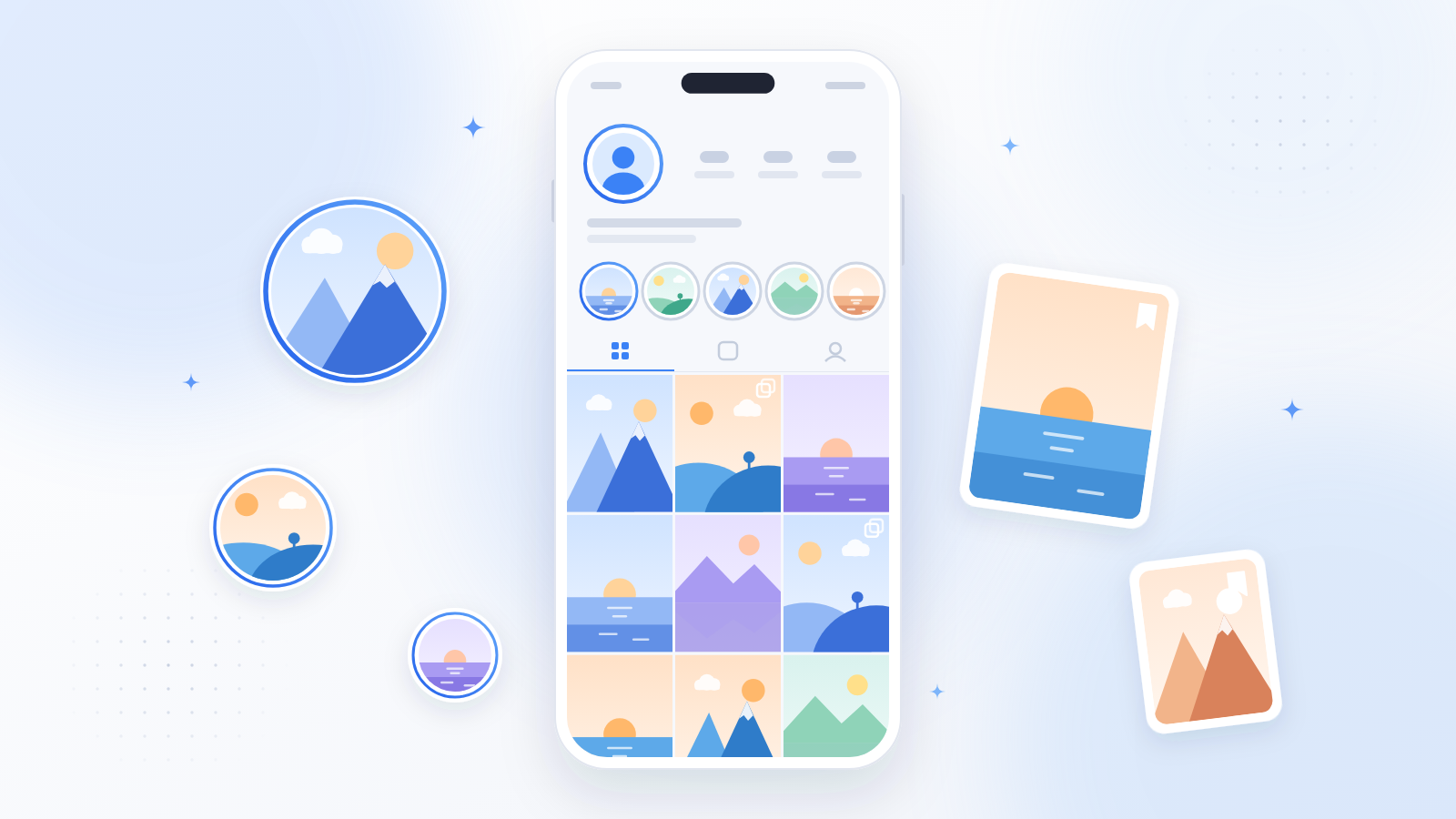
    Instagram highlights grid viewed without an account

    In my personal experience, if you’re keeping up with a public figure, brand, or creator, their Highlights often tell you more than their current Stories anyway. Announcements, product launches, and FAQs tend to live there permanently.

    Will They Know? The Screenshot Question, Answered Honestly

    This is one of the most searched questions in this niche, and honestly, the misinformation is wild. Some blogs claim Instagram started sending story-screenshot alerts, others say it “always notifies.” So let me give you the straight truth as of 2026:

    • Screenshotting a Story: no notification. Instagram has never alerted users about Story screenshots.
    • Screenshotting a post, Reel, or profile: no notification.
    • Screen-recording a Story: no notification.
    • The one real exception: disappearing photos and videos sent in DMs (vanish mode). The sender is notified if you screenshot those.

    So why all the confusion? Snapchat does notify on screenshots, and people just assume Instagram works the same way. It doesn’t. And here’s the bigger point, guys: when you browse without an account through a viewer, there’s zero identity attached to you.

    Instagram tracks Story views only for logged-in sessions, and it’s never tracked profile visits. No login means nothing to record. Simple as that.

    The One Legitimate Way to Watch Stories: Log In With Your Own Account

    If watching live Stories is what you actually need, there is exactly one honest method: authenticate with your own Instagram account. On anonimogram this is called instalogin.

    You connect your own Instagram session through the site, and Story viewing then works with your own credentials, exactly as if you had opened the Instagram app yourself.

    Two things to understand about this, stated plainly:

    • The site never asks for your password on its own pages. You authenticate with Instagram itself, not by typing credentials into a third-party form.
    • Your views are not anonymous anymore. Because you are logged in as yourself, Instagram counts the view normally and your username appears on the poster’s viewer list, same as in the app. Anyone telling you otherwise is misleading you.

    This is the trade-off, and we would rather state it clearly than sell a fantasy: anonymous browsing for public content with no account, or full Story access with your own login and a visible view.

    Why So Many “No Login” Tools Disappoint

    Sound familiar? You search for a story viewer, land on a promising site, enter a username, and get a spinner, a survey, or an error. Honestly guys, this exact frustration is why I built anonimogram.

    I was tired of every “anonymous viewer” turning out to be a survey wall or a credential trap, so I built the tool I wished existed. One that shows public content instantly, demands nothing upfront, and tells you straight when something genuinely needs a login.

    Here’s what nobody tells you: the reality (no logged-out Story access exists) collides head-on with the marketing (every site wants that “story viewer” keyword). Honest tools tell you upfront what needs a login.

    The rest just burn your time hoping you’ll complete a paid survey before giving up.

    Let me explain how to spot the honest ones: if a site shows you a loading bar, then demands you “verify you are human” with a survey, download, or login to some other service, close the tab, dear.

    Legit viewers show public content immediately or tell you straight up when something needs a login. They never hold content hostage behind surveys, and they never promise to unlock private accounts.

    Trust me on this one: now that you know the technical truth from above, you’re basically a scam detector. Any promise of logged-out Story viewing is false by definition.

    Frequently Asked Questions

    Can I really not see Stories without any login?

    Correct. Instagram serves zero Story content to logged-out visitors, not even a thumbnail. Highlights, posts, and profile info? All available without login. But live Stories need you to be logged in.

    What is the difference between Stories and Highlights?

    Stories vanish after 24 hours and need a login to view. Highlights are Stories the owner saved to their profile for good, and those are publicly viewable without an account.

    Does anonimogram work without an Instagram account?

    Yep. For public profiles, posts, Reels, and Highlights, no account needed and your visit stays anonymous. Live Stories require connecting your own Instagram login.

    Will the person know I viewed their profile?

    Nope. Instagram only tracks Story views, not profile visits. Browse a public profile without an account and there’s no trace tied to you.

    Does Instagram notify when you screenshot a Story?

    No. Instagram doesn’t send notifications for screenshots of Stories, posts, Reels, or profiles. The only screenshot alert is for disappearing photos and videos in DMs. The sender gets notified there.

    Can I download Instagram Stories without an account?

    Live Stories can’t be accessed without a login at all, so downloading them that way is off the table too. Public posts and Highlights can be saved through your browser or screen recording for personal use. Just don’t repost without permission, guys.

    Do I need to install an app to view Instagram without an account?

    Nope. Browser-based viewers work on iPhone, Android, and desktop with nothing to install. And listen, treat any app that demands your Instagram login to “unlock” viewing as a red flag.

    Is it legal to view public Instagram content without an account?

    Viewing content the owner chose to make public isn’t bypassing anything. You’re seeing exactly what Instagram shows any logged-out visitor. Private accounts stay off-limits, always.

    Conclusion

    Real talk, guys. You can’t watch Instagram Stories with no account. That’s Instagram’s design, not a missing feature. But you CAN anonymously explore public profiles, posts, Reels, and Highlights without logging in. And you can watch Stories by connecting your own Instagram account.

    That’s the deal I built anonimogram on: help you browse freely, never trick you, and always tell you straight what a tool can and can’t do. Skip the sites promising impossible workarounds. Try anonimogram’s viewer and see exactly what’s publicly available, honestly presented.