Blog

  • Can You View Instagram Stories After 24 Hours? The Honest 2026 Answer

    Can You View Instagram Stories After 24 Hours? The Honest 2026 Answer

    You heard about a story someone posted. Maybe a friend mentioned it, maybe your curiosity just got the better of you. You open Instagram, tap their profile picture, and there is nothing there. The story already expired, and now you are wondering if there is any way to see it anyway.

    So can you view Instagram stories after 24 hours? Let me save you some scrolling, dear. I built anonimogram, an anonymous Instagram story viewer, so I know exactly where the line sits between what is possible and what is fantasy. The short answer is no. But stick with me, because there is one legit exception, and there is a nasty scam built around this exact question.

    The short answer: no, expired stories are gone

    Here is the thing. An Instagram story lives for exactly 24 hours. The second that window closes, Instagram pulls it from the story tray and it disappears for everyone except the person who posted it. No app, no website, and no browser trick can reach back in time and fetch it.

    And honestly, that includes my own tool. Anonimogram requests the same public story feed that Instagram serves to any signed-out visitor. If a story expired five minutes ago, Instagram simply does not hand it over. There is nothing to fetch. Any site that claims otherwise is not being clever. It is lying.

    Why Instagram deletes stories after 24 hours

    Stories were designed to be temporary. That is the whole point. They are meant to feel casual and low pressure, like a moment you share without committing it to your permanent grid. The 24-hour clock is baked into how Instagram stores them.

    When the clock runs out, Instagram removes the public copy. The story may still exist in one private place: the poster’s own Story Archive, if they have that setting turned on. But that archive is visible only to the account owner. Not to followers. Not to casual viewers. Not to any tool on the internet.

    The one legit exception: Highlights

    Now the good news. If the person saved that story to a Highlight, it lives on their profile permanently. Highlights sit right below the bio in those little circles, and they do not expire. People tend to save their best stories there, so the thing you missed has a decent chance of living on as a Highlight.

    And yes, you can check Highlights without an account and without showing up on any viewer list. I wrote a full guide on how to view Instagram Highlights anonymously if you want the step-by-step. That is genuinely your best move right now.
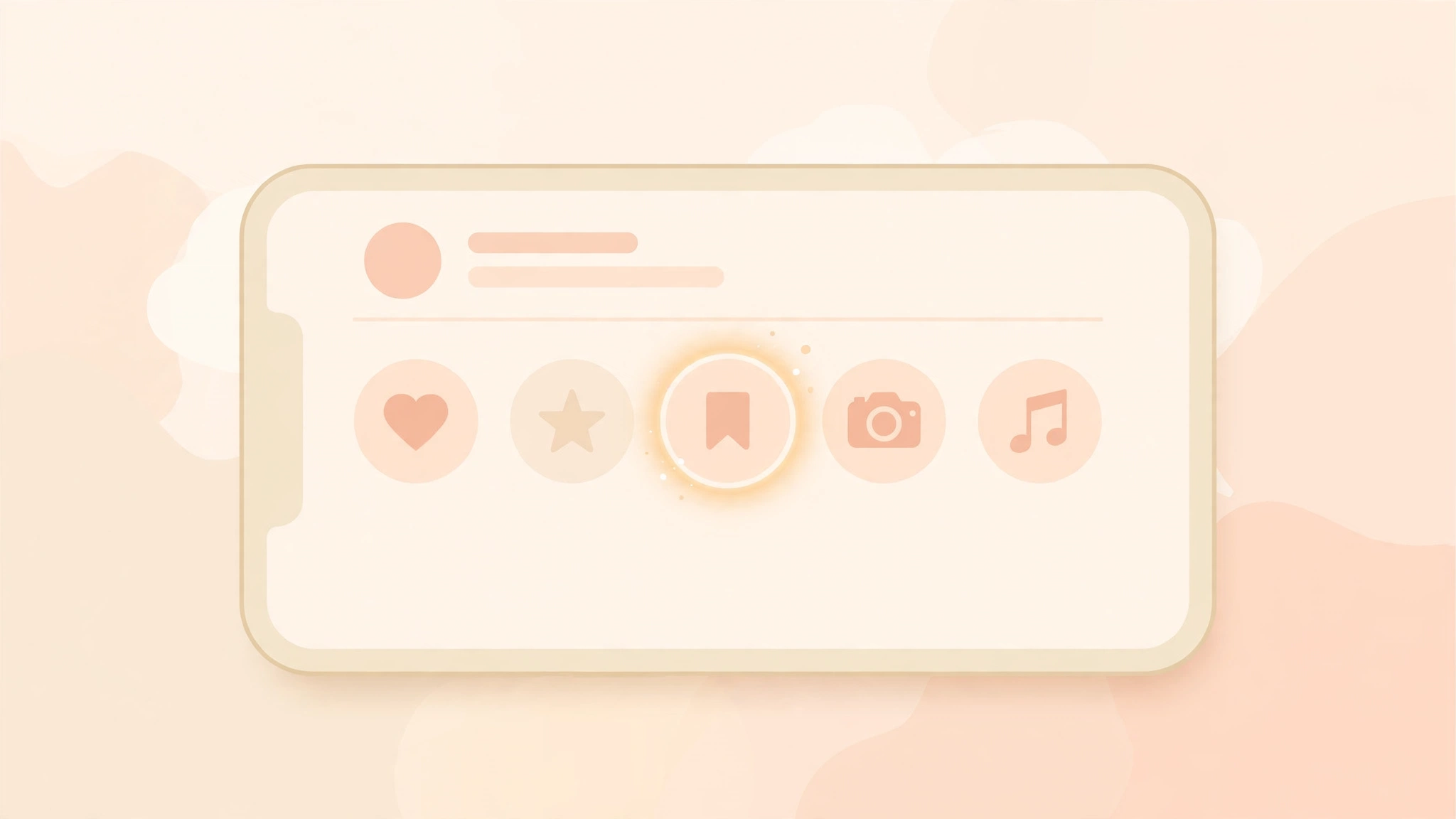
    Phone showing Instagram highlight circles, the one legit way to see older story content

    What a story viewer can and cannot show you

    Since I run one of these tools, let me lay this out plainly. This is the exact boundary every honest viewer operates inside.

    What a viewer CAN show:

    • Stories that are live right now on public accounts
    • Highlights saved on public profiles
    • Public posts, reels, and profile information

    What NO viewer can show:

    • Stories that already expired, even by a few minutes
    • Stories the owner deleted early
    • Anything from a private account you do not follow
    • Close Friends stories, which are shared with a small list only

    One more thing worth knowing. Some tracking-style tools advertise a story archive feature. Here is what that actually means: they save stories automatically while those stories are still live. Nothing can reach back to stories posted before the tracking started. If a tool claims it can pull last month’s expired stories out of thin air, that is the scam I am about to describe.

    The “expired story recovery” scam (please read this)

    This is the part where I get serious for a second, because people lose accounts over this. Search for expired story recovery and you will find sites promising to bring back deleted Instagram stories in 30 seconds. They all run the same playbook.

    First they ask for the username. Then a fake progress bar spins while the site pretends to decrypt something. Then comes the punchline: complete a survey, install an app, or verify yourself by logging in with your Instagram credentials. The surveys pay the scammer per completion. The login form harvests your password. Either way, you never see any story, because there was never anything to recover.

    In my personal experience watching this niche up close, these scam pages multiply every time a real question like yours starts trending. Real talk: if a page asks for your Instagram login to show you someone else’s expired story, close the tab. No legitimate viewer will ever ask for your password. I covered the warning signs in detail in my guide on whether Instagram story viewers are safe.

    What you can actually do instead

    Okay, so the story is gone and no tool can bring it back. Here are the moves that genuinely work, ranked by how often they pay off.

    1. Check their Highlights first

    Seriously, do this before anything else. Open their profile and look at the circles under the bio. Most people save the moments worth keeping, which means the story you missed is often sitting right there, fully viewable, no account needed.

    2. Ask the person or a mutual friend

    Low-tech, high success rate. If it was their story, they still have it in their private archive and can reshare it in seconds. If a friend saw it, they can tell you what it showed. Sometimes the simplest path is the one that works.

    3. Next time, save it while it is live

    This is the lesson to carry forward. If a story matters to you, grab it during its 24-hour window. You can download Instagram stories without an account in a few taps, and screen recording while you watch works too. Just check whether Instagram notifies on screenshots first so you know exactly what the other person can and cannot see.

    My honest advice, builder to reader

    I built anonimogram because I was tired of viewer sites that lie to people. Survey walls, fake login forms, big promises about private accounts and deleted stories. I wanted one tool that shows public content, asks for nothing, and tells you plainly what it cannot do.

    So here is my honest advice: if a story expired, let it go. Check the Highlights, because that is where the keeper moments live. And the next time a story matters to you, save it while it is live. That is the only method that works every single time, and I would rather tell you that straight than sell you a fantasy.

    If there is a story that is live right now and you want to watch it without an account, that is exactly what I built anonimogram for. Type the username, watch, and if it matters to you, save it before the clock runs out.

    FAQs

    Can a story viewer show expired Instagram stories?

    No. Once the 24-hour window closes, Instagram removes the story from public view and no viewer can retrieve it. Viewers can only display stories that are currently live on public accounts, plus saved Highlights.

    Can you see deleted Instagram stories?

    No, same rule applies. If the owner deletes a story before it expires, it is removed everywhere for viewers. Only the owner might still have a copy in their private archive.

    Does the story owner keep expired stories?

    Often yes. If the owner has Story Archive turned on, Instagram saves expired stories to a private archive that only they can see. From there they can repost a story or add it to Highlights. Viewers and third-party tools cannot access that archive.

    Do Instagram Highlights expire?

    No. Highlights stay on a profile permanently until the owner removes them. That makes them the one reliable way to see older story content, and you can browse them without an account.

    Can I rewatch my own expired stories?

    Yes, your own. Open your profile, tap the menu, and go to Archive. Every story you posted is saved there as long as archiving was enabled. This works only for your own account, never for someone else’s.

    What if a story was posted while I was asleep?

    Then you likely missed it. Stories do not wait for your timezone. Your options are the poster’s Highlights, asking someone who saw it, or catching it live next time. Some monitoring tools auto-save stories while they are live, but nothing can fetch a story that already expired before you started watching.

    Is it legal to download a story before it expires?

    Viewing and saving public stories for personal use is generally fine. Reposting someone else’s content commercially is where copyright issues start. I go deeper on the legal side in my article on whether anonymous story viewing is legal.

    Can someone see that I viewed their Highlight?

    Instagram shows Highlight viewers for 48 hours after the underlying story was posted, then the list disappears for good. But if you view Highlights through an anonymous viewer instead of the app, you never touch the viewer list at all. My Highlights guide walks through exactly how that works.
  • Can Someone See If You Viewed Their Instagram Profile? (2026 Answer)

    Can Someone See If You Viewed Their Instagram Profile? (2026 Answer)

    Can Someone See If You Viewed Their Instagram Profile? The 2026 Answer

    You have been checking someone’s Instagram profile. Maybe a few times. Maybe a few times today. And now a cold thought is sitting in your chest. Can they tell? Can they see your name somewhere? Sound familiar?

    Okay guys, let me put your mind at rest with the straight answer first.

    No. Nobody can see that you viewed their Instagram profile. Not personal accounts, not business accounts, not verified accounts with millions of followers. Instagram does not show profile viewers, does not send a notification, and does not keep a list.

    Let me explain exactly what Instagram does show, what it hides, and where the real gotchas are, because there are a few.

    The Short Answer

    Instagram treats profile browsing as private by design. Open someone’s profile, scroll their grid, zoom into their photos, read every caption from 2021. They will never know. No notification fires, no viewer list exists, and no setting turns one on.

    That is a deliberate product choice Instagram has stuck with for years, and it has not changed.

    There is one big exception, and it is the source of ninety percent of the panic. Stories. When you tap on someone’s story, your username lands on their viewer list for 48 hours.

    That is a completely different thing from visiting a profile, and confusing the two is what keeps people up at night. I covered the story side in detail in my guide on whether someone can see that you viewed their story.

    What Instagram Shows vs What It Hides

    Here is the full breakdown, plain and simple. I keep this table bookmarked because the questions come up constantly.

    What you do Can the other person see it?
    Visit their profile and scroll posts No. Completely invisible.
    Look at their profile picture No. No notification, no list.
    Watch their story Yes. Your username appears on the viewer list for 48 hours.
    Watch their highlights Only if the story was posted within the last 48 hours. Older highlight views are invisible.
    Watch their reel No names. They see view counts only.
    Like or comment on a post Yes. Obviously. That is you engaging.
    Follow them Yes. They get a notification.
    Visit ten times in one day No. Repeat visits change nothing.

    The pattern is simple. Instagram only reveals actions, never attention. Liking, commenting, following, and watching a story are actions, so they show. Looking around is just attention, and Instagram keeps that to yourself.

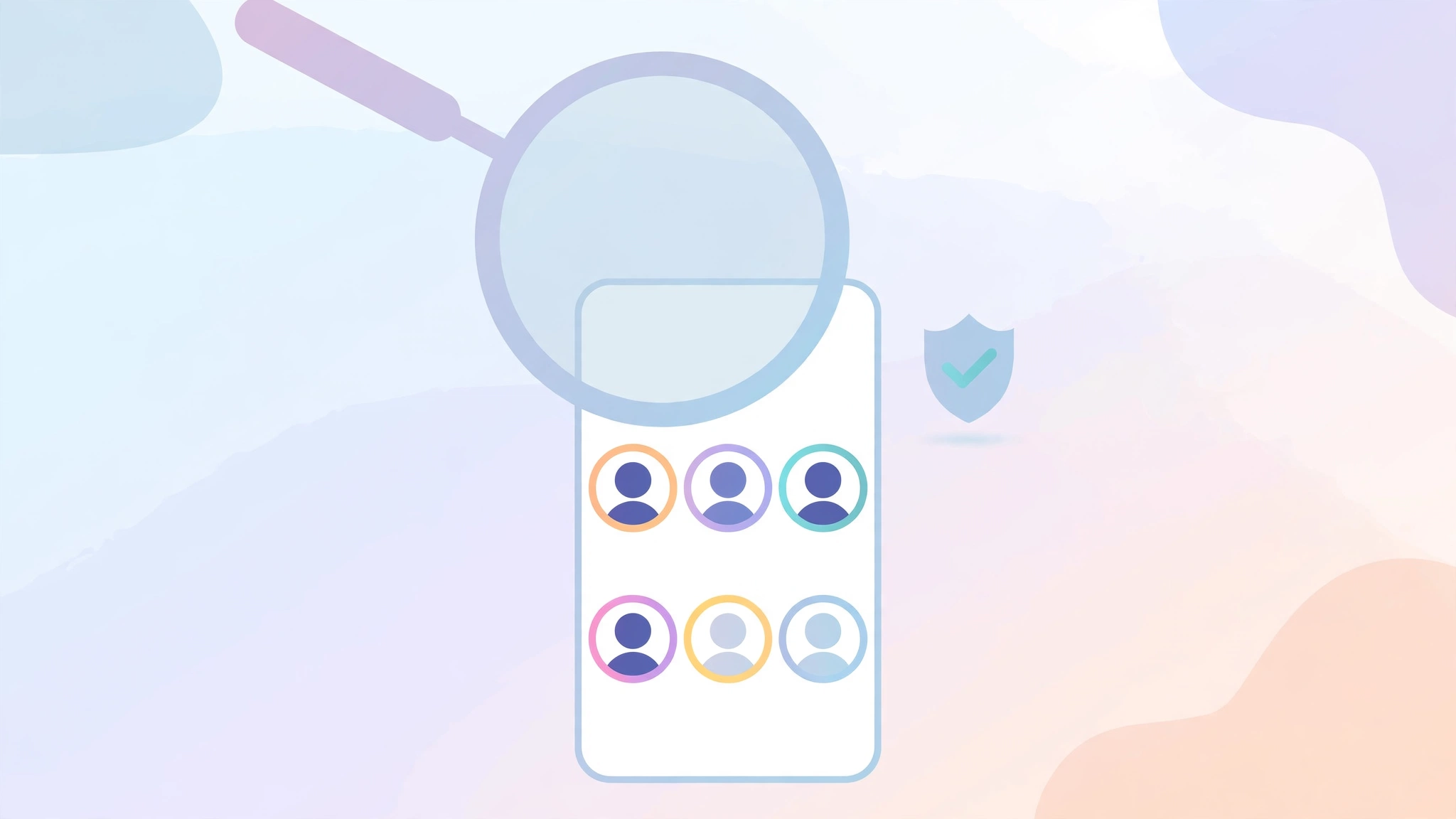
    Anonymous Instagram profile browsing with magnifying glass and privacy shield

    Business and Creator Accounts: What They Actually See

    This is where most of the confusion comes from, so let me be straight with you.

    A business or creator account gets extra analytics. They can open Insights and see a number like “412 profile visits this week.” They can see audience demographics, age ranges, and top cities.

    What they absolutely cannot see is a single name.

    Aggregate counts, zero identities. That is the hard line Instagram draws, and no account type crosses it.

    In my personal experience testing this stuff while building anonimogram, I have looked at Insights on test accounts more times than I can count. The visit number goes up. The names never appear.

    There is no hidden tab, no secret menu, no premium feature that unlocks them.

    So if someone claims they know you visited their profile because they have a business account, they are guessing.

    Maybe they saw you in their story viewer list. Maybe you liked something. Or maybe they are bluffing to see if you admit it. Do not fall for the bluff, dear.

    The Ways People Actually Get “Caught”

    Here is the thing nobody tells you. Profile views are invisible, but people still get caught all the time, and it is always one of these four mistakes.

    First, the story trap. You meant to look at the profile, your thumb slipped, and now you are on their viewer list. This is the number one way people blow their cover.

    If stories are your weak spot, that is exactly why I built anonimogram. You can watch public stories on the anonimogram homepage without an account, so your name never touches a viewer list.

    Second, the accidental like. You are three years deep into someone’s grid, you double tap to zoom, and congratulations, you just liked their 2022 beach photo. Everyone has a version of this story. There is no fix except unlike fast and hope.

    Third, the screenshot rumor. Let me clear this up because the misinformation is wild. Instagram does NOT notify anyone when you screenshot a story, a post, or a profile. The only screenshot alerts that exist are in disappearing DMs.

    I tested the whole matrix and wrote it up in my screenshot notifications guide if you want the details.

    Fourth, your own engagement history. You followed them last year, unliked, unfollowed, refollowed. People remember patterns. No app data needed.

    “Who Viewed My Profile” Apps Are Lying to You

    Now let us talk about the other side of this question, because it matters. If you search the app store for “who viewed my profile,” you will find dozens of apps promising to reveal your secret admirers. Every single one of them is lying.

    Here is why, and this is not my opinion. Instagram’s API simply does not expose profile view data. Not to developers, not to partners, not to anyone.

    The data does not exist in a form any outside app could fetch, because Instagram never tracks viewers at the individual level for profiles.

    So what are these apps showing you? Fabricated data. Random followers, engagement guesses, straight up invented names designed to keep you opening the app and watching ads.

    The ugly part is what they take from you. When I was researching this niche for anonimogram, I looked at how these apps actually make money.

    Most of them ask you to log in with your Instagram credentials or pay a subscription for “premium insights.” You hand over your account access to a company whose core product is a lie.

    Account theft, spam DMs sent from your profile, and credential harvesting are the standard playbook here. Real talk, never type your Instagram password into any third party app that promises viewer lists. Ever.

    How to Browse Without Leaving a Trace

    Look, the honest summary is that profile browsing is already private on Instagram. You do not need tricks for that part. But here is the checklist I would give a friend who wants to stay completely clean.

    1. Profiles are safe by default. Visit public profiles freely, logged in or logged out. Nobody can see you were there.
    2. Stories are the danger zone. Never watch a story from your own account if you want to stay invisible. Use a no login viewer like anonimogram for public stories instead, and your name never appears on any viewer list.
    3. Watch your thumbs on the grid. The accidental like is real. If you are deep scrolling, consider a private window or a logged out browser so a slip does nothing.
    4. Delete the “profile viewer” apps. They cannot work, they harvest your data, and some will get your account flagged. If one has your password, change it now and turn on two factor authentication.
    5. Do not trust the bluff. If someone says they know you visited their profile, ask yourself what action they could have actually seen. Nine times out of ten, there is none, and they are fishing.

    The Bottom Line

    Can someone see if you viewed their Instagram profile? No. Full stop. Instagram does not track profile viewers, business accounts only get anonymous totals, and every app that claims otherwise is selling you fiction while harvesting your login.

    The real risks are stories, accidental likes, and scammy third party apps, not profile visits. Keep your story viewing anonymous with a tool that asks for nothing, like anonimogram, and browse profiles with total peace of mind.

    If you want to see exactly what we do and do not collect, our privacy policy is written in plain English. No account needed, no password asked, ever.

    Frequently Asked Questions

    Can someone see if I viewed their Instagram profile without following them?

    No. Following has nothing to do with profile view visibility. Whether you follow them or not, Instagram shows no viewer list for profiles and sends no notification. The only difference following makes is that you can see private accounts you follow.

    Can a business account see who viewed their profile?

    No, only anonymous totals. A business or creator account can see how many profile visits they got in Insights, plus audience demographics like age and location. They can never see names, usernames, or individual visit histories.

    Can someone see that I looked at their profile picture?

    No. Opening someone’s profile picture, even zooming into it, triggers no notification and leaves no trace they can see. Profile picture views are treated exactly like profile visits: invisible.

    Can someone see how many times I visited their profile?

    No. Instagram does not count your individual visits for anyone to see. Business accounts see one aggregate number for total visits, with no breakdown of who visited or how often any one person came back.

    Do third party apps that show profile viewers actually work?

    No. Instagram’s API does not expose profile view data, so no outside app can access it. These apps display fabricated or guessed data, and many are designed to steal your login credentials or charge you for fake premium features. Avoid them completely.

    If I view someone’s story, can I remove myself from the viewer list?

    Not directly. The only reliable method is blocking the account, which removes your view, then unblocking. For highlights, viewer data disappears on its own after 48 hours.

    The cleanest approach is to never appear on the list in the first place by viewing public stories through a no login tool.

    Can someone see if I viewed their Instagram highlights?

    It depends on timing. If the story inside the highlight was posted within the last 48 hours, the owner can still see viewer names. After that window closes, viewing highlights is anonymous, just like visiting a profile.

    Is there any legitimate way to see who viewed my own profile?

    No. Instagram offers no such feature for any account type, and no legitimate tool exists because the underlying data is not exposed. Anyone selling you this, app or website, is running a scam.

    Stick to the real metrics Instagram gives you: story viewers, likes, comments, and aggregate Insights.

  • Do Instagram Story Viewers Track You? What These Sites Actually Log (2026)

    Do Instagram Story Viewers Track You? What These Sites Actually Log (2026)

    You typed a username into a story viewer so your name would never land on anyone’s viewer list. That part works, and honestly it is the whole reason I built anonimogram. But here is the question I wish more people asked before they hit search.

    While you are hiding from the story owner, who are you handing your data to instead? Because “anonymous” has two sides, and most people only think about one of them. Let me explain, builder to user, what actually happens on the other side of that search box.

    The Short Answer

    Here is the straight truth. A no-login story viewer keeps you off the poster’s viewer list. Your Instagram account never touches the story, so the account owner cannot see you. That part is real.

    But you are not invisible. The viewer site’s own servers see your IP address, your browser details, and every username you search for. Standard web server logs record all of that automatically. So you are anonymous to the poster, not anonymous to the internet. Big difference, and the sites selling you “100% anonymous” never say it out loud.

    What Every Viewer Site Logs About You Automatically

    Let me be straight with you about how the web works, because this is not a viewer-site problem. It is an every-website problem. Every web server on earth keeps access logs. When you visit any site, the server writes down your IP address, the time you showed up, which page you asked for, and what browser and device you used. Nothing shady about that. It is how the internet functions.

    The part that matters is what “which page you asked for” means on a viewer site. It means the username you searched. Type in someone’s handle and that handle lands in a server log next to your IP address and a timestamp. One lookup is nothing. But the same IP searching the same five usernames every week? That is a pattern, dear, and patterns are basically profiles.

    In my personal experience running a tool like this, I can tell you the searched username is the single most revealing thing a viewer site collects. Your IP tells them roughly where you are. The usernames tell them who you care about. That is the data worth protecting.

    The Creepy Stuff the Worst Ones Do

    Standard server logs are the baseline. Every site has them. But some viewer sites go way further, and this is where it gets uncomfortable.

    First, tracking pixels. Free viewer sites live on ads, so many of them load Meta Pixel, Google Analytics, or ad-network scripts right on the page. Those scripts do not care about your anonymity. They tie your visit to the same advertising profile that follows you around the rest of the web. You hid from one Instagram user and handed your browsing to an entire ad ecosystem instead. Real talk, that trade is worse.

    Second, browser fingerprinting. Some sites run scripts that read your screen size, your fonts, your timezone, and your plugins, then mash them into a unique ID. No cookies needed. You can clear every cookie on earth and they will still recognize you next visit. Privacy researchers have documented this exact behavior across ad-heavy tools in this niche.

    Third, session replay tools. A few tools record your mouse movements and keystrokes, basically a video of your visit. Including the usernames you type. Let that sink in for a second.

    Fourth, the partner problem. One major viewer site discloses close to 300 advertising partners in its cookie consent banner. Every one of those partners can receive a slice of your visit data. You consented to one site and fed a crowd.

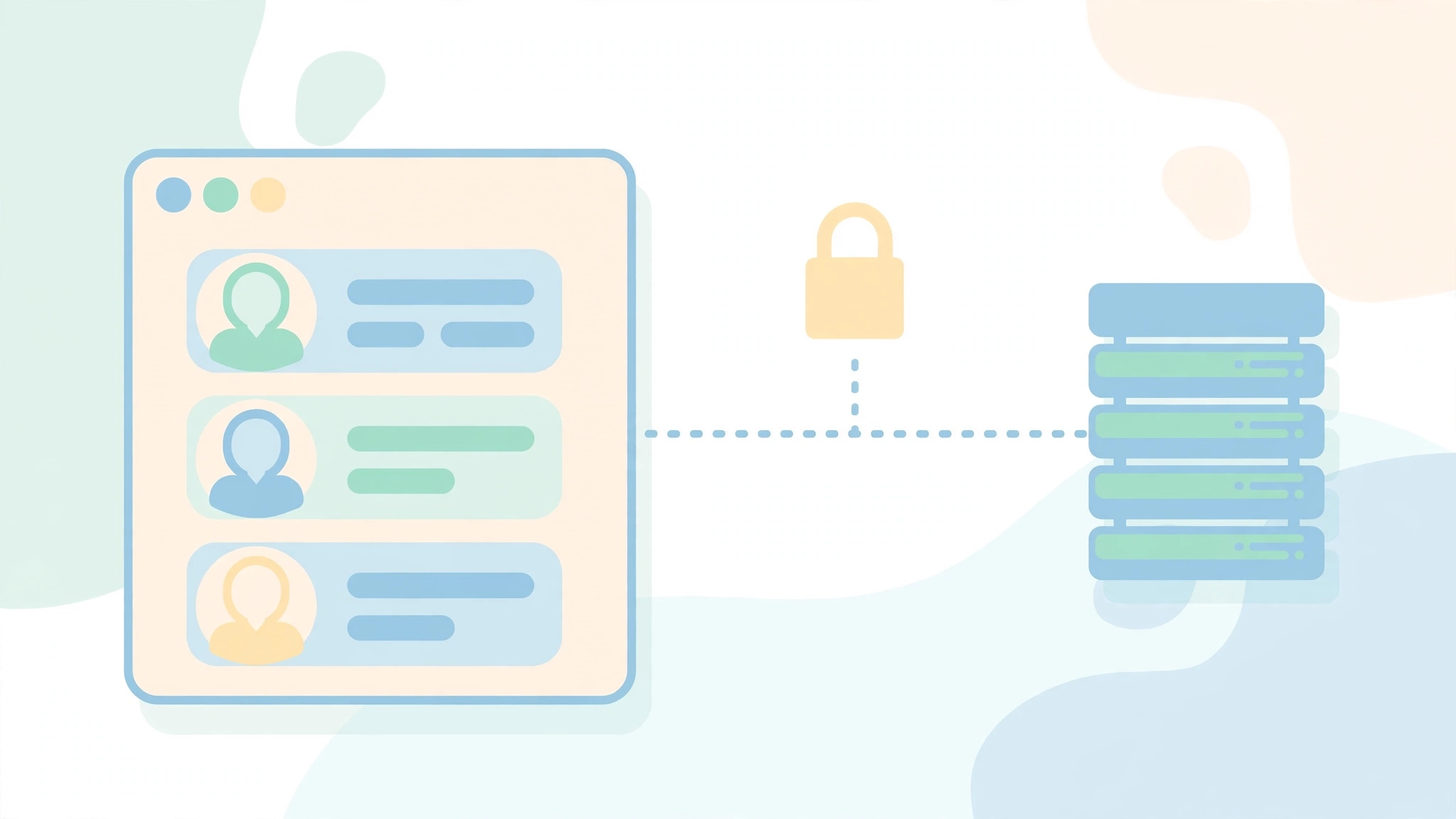
    Illustration showing a browser sending data to a server with a padlock, representing what story viewer sites log

    I Went Reading Privacy Policies So You Don’t Have To

    Okay guys, here is what I actually found when I went looking at what the big names say about your data. Not what their homepages promise. What their policies admit.

    InstaNavigation’s policy is the most upfront of the bunch, and it is not flattering. A detailed review that quoted it lists your name, device type, IP address, browser type, and even how long you spend viewing stories. It also says the service may pass your details to third parties. At least they tell you.

    MollyGram reads cleaner. No tracking cookies by default, no personal info required to use it, IP addresses only inside standard analytics, and no selling your data. That is roughly how a viewer site should behave.

    The StoriesIG clones are a mixed bag of copy-paste policies. One of them mentions Google Analytics and usage statistics outright. Several others run generic templates that say almost nothing, which honestly tells you everything.

    And AnonyIG? Its cookie consent banner discloses close to 300 advertising partners. Read that again. Three hundred. Every search you run there can theoretically be sliced up across an entire ad industry.

    One honest caveat from me. Policies change, domains change hands, and I am summarizing what is public right now, not auditing anyone’s servers. But the pattern across the category is clear. The more ads a viewer site runs, the more of you it feeds to the ad machine.

    Here Is Exactly What Anonimogram Logs

    Now the part nobody else in this niche will do. Let me show you my own books. I wrote our privacy policy myself, line by line, and here is what it says in plain English.

    We set one cookie, called anon_visitor_id. It is a random string with no meaning, not built from your IP or your browser. Its only job is counting your free searches before we ask you to make a free account. It is invisible to page scripts and it expires after about a year.

    We rate-limit by IP in one-minute windows so bots cannot hammer the service. Those counters live for sixty seconds and are never written to any permanent log. Sixty seconds, then gone.

    Like every web service, our servers keep standard operational logs: the requesting IP, the page requested (which includes the username you searched), a timestamp, and the response status. We keep those only as long as we need them for security and debugging. We run no analytics platform and no advertising cookies at all. There is no database anywhere of who searched which username.

    If you sign in with Google, Firebase handles the login and we never see your password. Your search history and favorites live only in your own browser, never on our servers.

    So here is my honest summary, and I will not dress it up. Using anonimogram keeps you off the poster’s viewer list and off Instagram’s radar. But our servers do see the same standard log data every website sees. I would rather tell you that straight than sell you a fairy tale about being invisible. That honesty is the whole reason I built this thing differently from the ad-stuffed clones.

    5 Ways to Actually Protect Yourself on Any Viewer Site

    Look, I run a viewer site and I am telling you to be careful with viewer sites, including mine. Here is the checklist I would give a friend.

    1. Read the policy before you trust the promise. A homepage that screams “100% anonymous” with no privacy policy page is lying to you by omission. The policy is where the truth lives.
    2. Use a private window for one-off lookups. It wipes cookies and local data when you close it. It will not beat fingerprinting, but it stops the easy tracking.
    3. Do not build your whole lookup history in one place. Rotate between a few tools you trust. No single site should hold your complete pattern.
    4. Run an ad blocker. This is the single biggest upgrade. Most third-party pixels and trackers die the moment a decent blocker is on. When I was digging through ad-heavy viewer sites during my research, a blocker stripped out the majority of the background chatter.
    5. Use a VPN if your IP matters to you. It hides your real IP and location from every site you visit, viewer sites included. It does not make you untraceable, but it removes the easiest identifier you hand out.

    The Bottom Line

    Story viewers do exactly what they promise on the poster side. Your name stays off the viewer list. But every one of them logs something about you on the server side, and the ad-funded ones log a lot more than that.

    The real privacy question was never “can the poster see me.” It is “who am I trusting instead.” Pick tools that tell you what they log, block the trackers, and never type your Instagram password into any viewer site on earth. That last one is non-negotiable, and I will keep saying it until the scam sites starve.

    If you want a viewer that shows you its books instead of hiding them, you are in the right place. Try a lookup on the anonimogram homepage and read our privacy policy any time. No account needed, and we never ask for your password, ever.

    Frequently Asked Questions

    Do Instagram story viewers track your IP address?

    Effectively, yes. Every web server logs the IP address of incoming requests, so any viewer site you visit records your IP in its standard server logs. What differs is how long they keep it and what they do with it. A VPN hides your real IP from the site entirely.

    Can a story viewer site see the usernames I search for?

    Yes. The username you search becomes part of the requested page, which lands in the site’s server logs next to your IP and a timestamp. Honest sites keep this only for operations. Shady ones can build a full history of who you look up, which is why the site’s privacy policy matters more than its promises.

    Do story viewers use cookies?

    Most do. Some use them for basic functions like counting free searches, which is what our anon_visitor_id cookie does. Others load advertising and analytics cookies that feed your visit into ad networks. A private window plus an ad blocker handles most of the cookie problem.

    Can a story viewer figure out my real identity?

    From a single no-login visit, usually not. But combine your IP, your browser fingerprint, and a history of searched usernames, and a site can build a recognizable profile of your habits over time. That is why rotating tools and blocking trackers matters more than most people think.

    Will the story owner know I used a viewer tool?

    No. The request comes from the tool’s servers, not your Instagram account, so your name never appears on the viewer list and the view count does not change. I covered the full mechanics in my guide on whether someone can see that you viewed their story.

    Does a VPN make story viewers fully private?

    It hides your IP and location, which removes the easiest identifier you hand out. But it does not stop browser fingerprinting, and it does not stop the site from logging your searched usernames. Think of a VPN as one strong layer, not an invisibility cloak.

    Does anonimogram keep a record of the profiles I looked up?

    No permanent record. Our servers keep standard operational logs, meaning IP, requested page, and timestamp, only as long as needed for security and debugging. We maintain no database of who searched which username, we run no analytics platform, and we set zero advertising cookies.

    Can Instagram itself tell that I used a third-party viewer?

    Instagram sees a request from the tool’s servers, not from you. It has no way to connect that request to your account or your identity. That is the whole architectural trick that makes anonymous viewing of public content possible in the first place.

  • Instagram Wants $3.99 a Month for Anonymous Story Viewing. I Built a Free Alternative.

    Instagram Wants $3.99 a Month for Anonymous Story Viewing. I Built a Free Alternative.

    You guys, Instagram finally put a price tag on curiosity. They are rolling out something called Instagram Plus, and the headline feature is exactly what it sounds like. Pay $3.99 a month and you can watch stories without your name showing up on the viewer list.

    Now here is the part that made me smile a little. I built anonimogram to do that exact thing for free, with no account at all. So let me be straight with you about what Instagram Plus actually offers, what it costs, and why the free way still wins for most people.

    The Short Answer

    Instagram Plus is Meta’s paid subscription, reportedly $3.99 a month, with a “Story Preview” feature that lets paying users watch stories without appearing on the viewer list. Some outlets report it as launched while trade press still describes it as testing, so treat the rollout status as developing news.

    If the account is public, you can already do the same thing free with a no-login viewer like the one I built. No subscription and no Instagram account needed. The paid tier only makes sense if you want Instagram’s extra perks on top.

    What Instagram Plus Actually Is

    Let me explain what the reports say. Instagram Plus is a monthly subscription Meta has been developing as a premium tier inside the Instagram app. The price showing up across reports is $3.99 a month, with separate Plus tiers also reported for Facebook and WhatsApp.

    The flagship feature is called Story Preview. It lets you watch someone’s story without your username landing on their “Seen by” list. That is the exact itch my tool scratches, except mine never asked for a dollar.

    One honest note on the news itself, because I will not dress up uncertainty as fact. Some outlets describe Instagram Plus as launched and rolling out globally. The freshest trade press still calls it a test in selected markets with no official announcement from Meta. The $3.99 price and the Story Preview feature are consistent across reports. The rollout status is the part still moving.

    What Else Comes With the Subscription

    Reports mention a bundle of extras beyond anonymous viewing. Stories that stay up for 48 hours instead of 24. More pinned posts on your profile. Custom fonts for your bio and alternate app icons. Nice little perks, honestly, but nobody subscribes for fonts.

    Meta has also pushed back on one viral claim worth knowing. Some posts said Plus would expose who keeps rewatching your stories. Meta says no. Rewatch data stays aggregate, meaning a total count with no names attached. I mention this because it shows even Meta knows exactly where the creepiness line sits.

    Why This News Validates the Free Approach

    Here is the thing nobody is saying out loud. Instagram charging for anonymous viewing proves the demand is massive. Millions of people want to watch stories without the social awkwardness of the viewer list. Meta saw that and built a paywall around it.

    But think about what you are actually buying. You still need an Instagram account. You still pay every single month. And you are still inside Meta’s ecosystem, where every tap feeds the ad machine. In my experience building in this niche, most people who want anonymity want less tracking, not a more expensive version of it.

    When I started building anonimogram, I assumed anonymous viewing was a niche curiosity. Watching Meta productize it told me I had the demand curve right all along. The only part we disagree on is the price tag.

    5 Free Ways to Watch Stories Without Them Knowing

    Okay, let us talk about what you can do today without paying anyone a cent. I have tested every one of these myself, and I will give you my honest verdict on each.

    Laptop showing anonymous profile avatars with a magnifying glass over one.

    1. A No-Login Viewer Tool

    This is the method I know best because I built one. A viewer website fetches the public story on its own servers and shows it to you in the browser. You never log into Instagram, so Instagram never learns your username and nothing lands on the viewer list.

    When I was testing anonimogram I ran dozens of lookups on public test accounts and checked the viewer lists afterward. Zero traces. That is the whole point of the design. The view happens server side, not on your account.

    Two honest limits, because I will not sell you fairy tales. It only works on public accounts. And the site itself can see your IP address like any website you visit, so use one you actually trust.

    2. The Airplane Mode Trick

    The classic. You open Instagram, let the story preload, switch on airplane mode, watch the story offline, then force-close the app before reconnecting. The theory is simple. No connection, no view report.

    Does it work? Sometimes. Honestly it has gotten way less reliable than it used to be. Instagram syncs view data more aggressively now, and if the app was even briefly online while the story was open, your view gets logged.

    It also only works on stories that fully preloaded. Videos often do not preload, so you get a blank screen or a frozen frame. One mistake, reopening the app before you force-closed it, and you are on the list.

    3. A Second “Burner” Account

    A spare account with no real name keeps your real identity off the viewer list, technically. But that burner username still shows up on their list. Anyone can tap it and see a zero-post account with no followers, which honestly looks more suspicious than a normal view.

    Private accounts need a follow request accepted first, which defeats the whole point. Instagram also limits how many accounts one phone can run. It works, but it is clumsy and it leaves a trail.

    4. The Half-Swipe

    This one is dead, dear. I only mention it because old guides still recommend it. The trick was to start swiping to the next story and peek at a frozen frame without triggering a view.

    Instagram counts a view the moment story content renders on your screen. The half-swipe does nothing now except waste your time. Skip it.

    5. Asking a Mutual Friend

    Simple and zero tech. A friend who already follows the account sends you a screen recording. No viewer list risk at all, because your account never touches the story.

    The downside is obvious. You are dragging another person into it, and now two people know you were curious. Real talk, this is the method with the highest social cost, not the lowest.

    Instagram Plus vs a Free Viewer, Honestly Compared

    Let me lay this out plainly, because I would rather you make an informed choice than a loyal one.

    Instagram Plus gives you anonymous viewing inside the official app, plus the extra perks, for $3.99 a month. You need an account, you pay forever, and you stay inside Meta’s data machine.

    A free no-login viewer gives you anonymous viewing for public accounts at zero cost and with zero account. No perks, no 48-hour stories, no custom fonts. Just the core thing most people actually wanted in the first place.

    So here is my read. If you live inside Instagram all day and want the bundle, Plus is a fair deal for what it is. If you just want to check a public story without the viewer list drama, paying monthly for that is, honestly, a strange trade.

    One more angle worth your time. If you want the full mechanics of how Instagram tracks views in the first place, I explained exactly how the viewer list works in a separate guide. It makes the whole paid versus free debate a lot clearer.

    What Instagram Plus Can Not Do Either

    Worth saying clearly. Neither Instagram Plus nor any free tool lets you view private account stories without approval. Private content lives behind follow approval on Instagram’s own servers, and no honest product can reach past that.

    Anyone selling you private access, paid tier or free site, is running a scam. Same warning I always give. Never hand your Instagram password to a third-party app promising “anonymous mode.” I have watched these harvest accounts for spam networks, and getting your account back is miserable. If a viewer asks you to log in, walk away.

    Why I Built Mine Free

    Look, I built anonimogram because I was tired of scammy viewer sites full of survey walls and fake login forms. I wanted one honest tool that shows public content with nothing demanded, and tells you plainly what it can not do.

    Instagram putting a paywall on anonymous viewing just confirmed I was solving a real problem. I will keep solving it for free. If a paid subscription ever becomes the only way to watch without a trace, I will be the first to tell you. Until then you have options, and most of them cost nothing.

    Frequently Asked Questions

    What is Instagram Plus?

    It is Meta’s reported paid subscription tier for Instagram, priced around $3.99 a month. The headline feature is Story Preview, which lets subscribers watch stories without appearing on the viewer list. Extra perks reportedly include longer story durations, more pinned posts, and profile customization. Rollout status is still developing across reports.

    Is Instagram Plus available in my country?

    Reports have mentioned testing in Mexico, Japan, and the Philippines, while other outlets describe a broader rollout. Meta has not issued a clear official announcement, so the honest answer is to check your own Instagram app for the subscription option.

    Does Instagram Plus really hide you from the viewer list?

    That is what the reported Story Preview feature does. Your username does not land on the poster’s “Seen by” list. It is the same outcome a free no-login viewer gives you for public accounts, except Instagram charges monthly for it.

    Can I view stories anonymously without paying?

    Yes, for public accounts. A no-login viewer tool shows you the story without touching Instagram’s viewer list, so your name never appears and the view count does not change. Every logged-in view inside the Instagram app gets recorded, so the app itself is never anonymous.

    Will the account owner know I used a free viewer?

    No. From the account owner’s side there is simply nothing to see. No username on the viewer list, no bump in the view count, no notification. The only footprint is on the viewer site’s own server logs, which is why trusting the site you use matters.

    Does Instagram Plus let you see private stories?

    No. Private stories are only visible to approved followers, and no legitimate product gets around that, paid or free. Any service claiming otherwise is running a scam, usually to harvest login credentials or payments.

    Can someone see how many times I rewatched their story?

    Instagram shows the viewer list but not per-person rewatch counts. Meta has also stated publicly that rewatch insights on Plus stay aggregate, meaning a total number with no names attached. Repeated viewing can still push your name higher in list ordering though.

    Is it safe to use a free anonymous viewer?

    A viewer that never asks for your login is as safe as any website visit. The real danger is sites demanding your Instagram password or payment for “premium anonymous mode.” I covered the red flags in detail in my guide on whether story viewers are safe to use.

  • How to See Someone’s Close Friends Story Without Being Added (2026 Guide)

    How to See Someone’s Close Friends Story Without Being Added (2026 Guide)

    You saw it. That green ring around someone’s story bubble, sitting right there in your story tray, and you couldn’t tap it. You aren’t on their Close Friends list, but you really want to see what they posted.

    Sound familiar? Okay, let me be straight with you from the very first paragraph. If you aren’t on that list, you can’t see the story. No app can show it to you. No website can unlock it. No trick from a YouTube tutorial will sneak you in.

    I know that’s not the answer you came for. Stick with me anyway, because I’m going to explain exactly why this wall can’t be climbed, show you the scams waiting for people who try, and tell you what actually works instead. I’m not guessing here. I built an Instagram story viewer, and I work with Instagram’s public data every single day. I’ve tested this exact question from the builder’s side, so here’s the honest breakdown.

    The Short Answer

    You can’t see someone’s Close Friends story without being added. Period. Instagram locks these stories on its own servers, and the story is only ever sent to accounts on the person’s list. If your account isn’t on it, the story never reaches your device at all.

    And before you go hunting for a tool that promises otherwise, let me save you the trouble. I’ve looked at this from every angle while building my own viewer. There’s no back door. Anyone who tells you different is selling you something, and I’ll show you exactly what in a minute.

    What the Green Circle Actually Means

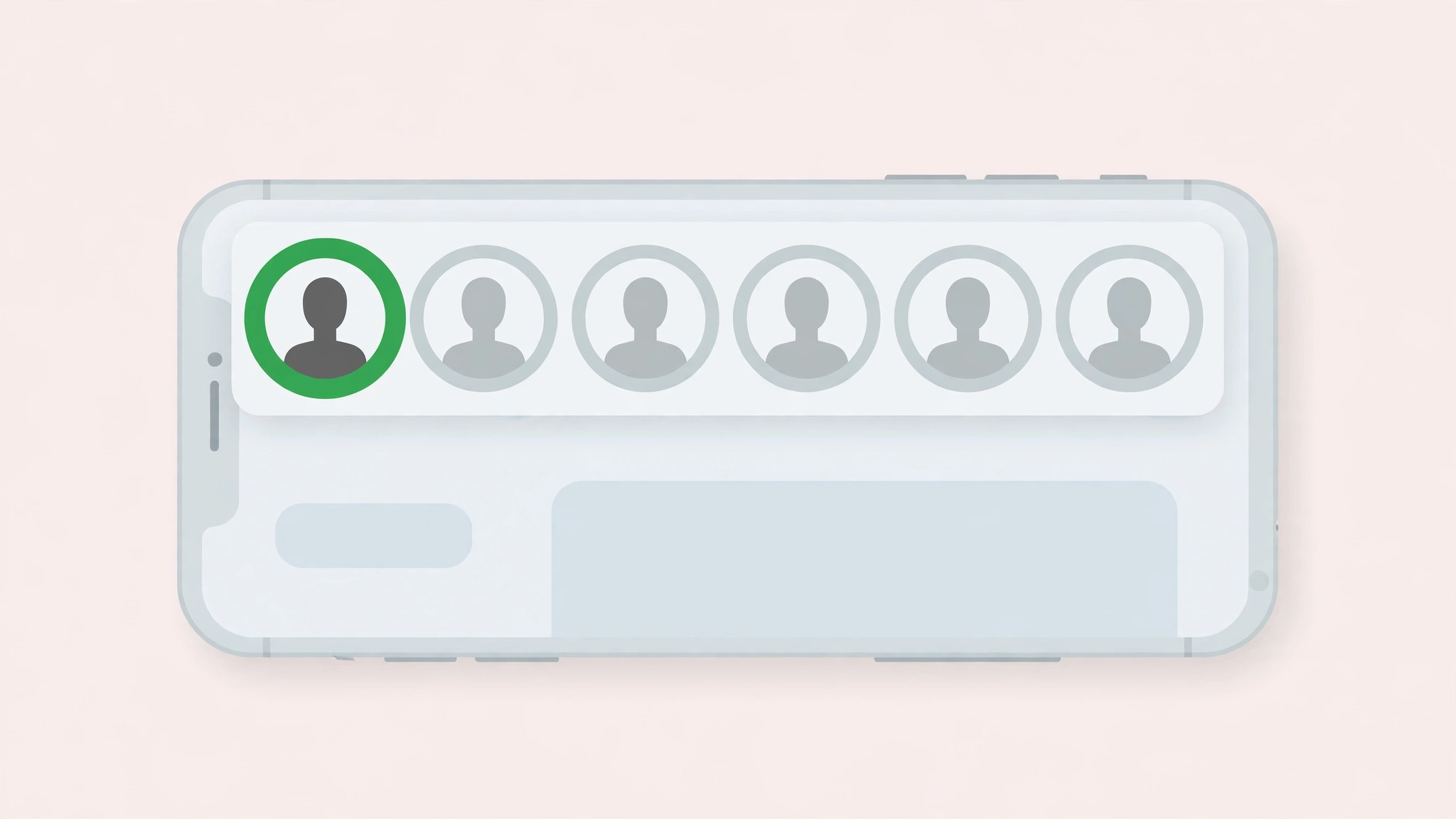
    That green ring is Instagram talking to YOU, not to the person who posted. It’s a little badge that says this story went to a smaller list, and you made the cut. If you can see the green ring, you’re on their Close Friends list. Take it as a compliment, dear.

    Now here’s the part people miss. If you AREN’T on the list, you see nothing. No ring, no hint, no message saying someone posted something you can’t see. Instagram gives you zero signal. A Close Friends story you can’t access looks exactly like a quiet profile that posted nothing today. That silence is deliberate.

    Reading the Ring: A Quick Decoder

    • Rainbow gradient ring: a normal story you haven’t watched yet.
    • Solid green ring: a Close Friends story, and you’re on the list.
    • Faded grey ring: a story you’ve already watched.
    • No ring at all: nothing visible to you right now. This is also what a Close Friends story looks like from the outside.

    Why No Tool Can Unlock These Stories (Not Even Mine)

    Let me pull back the curtain for a second, because once you see how this works, every scam in this space becomes laughably obvious.

    When you open Instagram, the app asks Instagram’s servers a simple question: what is THIS account allowed to see? The server checks your username against the poster’s Close Friends list. On the list? Here’s the story. Not on the list? You get nothing. The story file never touches your phone. You aren’t blocked from viewing it. It simply never arrives.

    Here’s the thing most guides won’t tell you. Viewer tools like mine work by asking Instagram for PUBLIC content. A public story is served to anyone, even a tool that never logs in. That’s the whole trick behind anonymous viewing, and it’s completely legitimate. I explain exactly how viewing stories without an account works in a separate guide.

    But a Close Friends story is never public to anyone outside the list. There’s no public door to knock on. For a tool to show you one of these stories, it would need the login session of someone ON the list. At that point it isn’t a viewer tool anymore. It’s just someone else’s account.

    In my personal experience building our story extractor, this was one of the first walls I hit. I pointed it at accounts with Close Friends stories and watched what the servers returned for outsiders. The answer was always the same: nothing. Not an error, not a locked preview. Just nothing. That’s the entire security model, and honestly, it’s solid.

    The “Close Friends Story Viewer” Scams You Will Meet

    Because the demand is enormous and the real answer is disappointing, scammers have built a whole industry around fake promises. Search for a way to see Close Friends stories and you WILL run into these. Let me walk you through the playbook so you can spot it in two seconds.

    1. The Fake Viewer Tool

    The site looks clean. A search box, a username field, maybe even a blurred thumbnail to hook you. You type the name, a loading bar spins, and then comes the catch. Complete a survey. Install an app. Verify you’re human. You do it, and the story never appears, because it never existed on their end. The survey commission or the app install bounty was the whole point. You were the product.

    2. The “Human Verification” Loop

    This is the nastiest one. You finish one survey and it asks for another. Then another. I’ve seen these loops run five deep, each step paying the scammer while you get absolutely nothing. Worse, you’ve now handed your email or phone number to people you should never trust with it.

    Here’s my rule of thumb, and I give it to every reader: if a viewer tool asks you for anything beyond a username, walk away. My own tool asks for a username. That’s it. No login, no survey, no app install. That’s what a legitimate tool looks like, and anything that demands more is telling on itself.

    3. The Fake Login Page

    Some sites ask you to log into Instagram “to unlock the story.” Real talk: never type your Instagram password into any site that isn’t instagram.com. That’s a credential harvest, plain and simple. I’ve watched people lose their accounts this way and come to my site afterward asking for help. Once your password is gone, there’s very little anyone can do. If you want to know what a safe story viewer actually looks like, I wrote that up too.

    Red Flags: My Personal Checklist

    • It promises to show private or Close Friends content. Instant disqualification.
    • It asks you to complete surveys or install apps before showing anything.
    • It asks for your Instagram login anywhere except instagram.com.
    • It shows a fake progress bar or a blurred “preview” of the story.
    • It has no about page, no contact info, no real company behind it.
    • All of its reviews live on its own website.
    Magnifying glass over story rings with a green Close Friends ring highlighted

    The Only Legitimate Ways In

    Okay, so what CAN you do? Honestly, the list is short. But at least everything on it works.

    1. Get on the List

    The actual answer. If you follow the person and you’re genuinely close, they might add you. There’s no request button for this, and Instagram sends no notification when someone is added or removed. It’s entirely the poster’s choice, and that’s how it should be.

    2. Watch Their Public Stories Instead

    If their account is public, their normal stories are visible to everyone. This is exactly what my tool was built for. Type the username, watch the public stories, no account needed, and your name never lands on a viewer list. What you see is everything they chose to share publicly. Close Friends stays closed, and I respect that boundary in how I built the tool.

    3. A Second Account Changes Nothing

    People ask me this one constantly. Listen: making a second account doesn’t help, because Instagram checks the Close Friends list, not how mysterious your account is. If your second account isn’t on the list either, it sees exactly the same nothing. The list is the whole game.

    Myths That Won’t Die

    “Airplane Mode Lets You Sneak a Peek”

    No. Airplane mode only works on stories your app already downloaded, and a Close Friends story never downloads to your device unless you’re on the list. There’s nothing cached to sneak a peek at. This trick is dead on arrival here.

    “They’ll Know If I Screenshot It”

    Different worry, same answer: no. Instagram doesn’t send screenshot notifications for stories. Not normal stories, not Close Friends stories. The only screenshot alerts on Instagram are for disappearing photos and videos in DMs. I’ve written a full breakdown of screenshot notifications if you want every detail.

    Frequently Asked Questions

    What does the green circle on an Instagram story mean?

    It means the story was shared with the poster’s Close Friends list, and you’re on that list. Only people on the list ever see the green ring. Everyone else sees nothing at all.

    Can I see who is on someone’s Close Friends list?

    No. The list is completely private. Only the owner can see it, and even people on the list can’t see the other members. There’s no setting or tool that reveals it.

    Does Instagram notify someone when they add or remove me from Close Friends?

    No notifications go out either way. People usually figure it out because the green ring appears or stops appearing on that person’s stories.

    Can a story viewer tool show Close Friends stories?

    No. Not mine, not anyone’s. Close Friends stories are served only to list members, so there’s nothing public for a tool to fetch. Any site claiming otherwise is running a scam, usually a survey loop or a credential harvest.

    Their account is public. Can I see their Close Friends stories with a viewer?

    No. Public account or not, Close Friends stories go only to the list. The good news is their public stories are fully viewable with any anonymous viewer, including mine, with no account and no trace.

    If I’m on the list, will they know I watched their Close Friends story?

    Yes. Watching in the Instagram app puts your name on their viewer list like any other story. Anonymous viewer tools can’t access Close Friends stories at all, so there’s no anonymous option here. If you’re on the list and you watch, they can see that you watched.

    Can I ask to be added to someone’s Close Friends?

    There’s no request button in the app. You can ask the person directly, but it’s entirely their decision. And honestly, if you have to ask, the answer tells you something about where you stand.

    The Bottom Line

    Here’s where I land, as someone who builds in this space every day. Close Friends is one of the few Instagram features that works exactly as advertised. The green ring means what it says. Nobody’s peeking in from outside, and every site that tells you otherwise is selling you something.

    If what you want is to browse public stories without an account and without your name showing up on viewer lists, that problem is solved. That’s literally why I built anonimogram. But Close Friends? That door only opens from the inside, dear, and no tool on earth has the key.

  • How to View Instagram Profile Pictures in Full Size (2026)

    How to View Instagram Profile Pictures in Full Size (2026)

    Somebody’s tiny circular profile photo is driving you crazy. You zoom in with your fingers and all you get is a blurry circle. Sound familiar?

    Instagram locks profile pictures to a small 150 pixel circle you cannot tap to enlarge. But here is the thing. The full-size version exists, and I pull it up all the time when I am testing anonimogram. Let me explain how you can see it too.

    Honestly, most guides either skip the details or push some shady app. Real talk: viewing a PUBLIC profile picture in full size is simple, free, and takes about thirty seconds. Stick with me and I will show you exactly how.

    The Short Answer

    Yes, you can view Instagram profile pictures in full size without an account. Type the username into a profile picture viewer tool, and it fetches the largest version Instagram stores, usually 640 by 640 pixels or bigger, compared to the tiny 150 pixel circle the app shows you.

    The catch is simple. This only works for public accounts. No tool on earth can pull a private account’s full-size profile picture, and any site claiming otherwise is lying to you. I will show you the methods that actually work below.

    Why Instagram Shows Such a Tiny Profile Picture

    Here is something most people never question. Instagram deliberately shrinks every profile photo to a small circle and gives you no way to tap it open. It is not a missing feature. It is a design choice.

    The circle keeps the interface clean and fast. Loading a full-size photo for every profile you scroll past would slow everything down. So Instagram stores a bigger version on its servers and shows you the small one. That bigger version is what we are going after.

    When I was building the profile lookup in anonimogram, I learned that Instagram keeps the original upload resolution. If someone uploaded a 3000 by 3000 photo, the server holds a crisp 1080 by 1080 copy. You just need the right way to ask for it.

    4 Methods That Actually Work to View Profile Pictures in Full Size

    I have tested every method below myself. Here they are, ranked from simplest to most powerful.

    1. Use a profile picture viewer tool

    This is the fastest path and the one I recommend to everyone. Enter the username into a dedicated profile picture viewer, hit search, and the full-size photo appears. No account, no app, no download.

    Good tools show the photo at its maximum stored resolution and let you zoom in right on the page. The honest ones are upfront about their limits: public profiles only, no login required, nothing to install. If a tool asks for your Instagram password, close the tab immediately.

    In my personal experience, this method takes under thirty seconds and works on any device. Desktop, phone, tablet, it does not matter. The tool does the fetching on its server, so your browser just displays the result.

    2. Open the profile URL on desktop and inspect the image

    If you like doing things the manual way, open instagram.com/username in a desktop browser. The profile picture is there in the page source, and your browser can open the image file directly.

    Right-click the profile picture and choose to open the image in a new tab. Sometimes Instagram serves a slightly larger version this way. It is fiddly and inconsistent, which is why I rank it below the dedicated tools, but it works in a pinch with zero third parties involved.

    3. Use Google Images or a web search

    Here is a trick people overlook. Search the username on Google Images. Public Instagram profile pictures often get indexed, and Google sometimes shows a larger cached copy than the app ever will.

    This does not work for every account, especially newer ones Google has not crawled yet. But when it works, it is completely free and anonymous. Nobody knows you searched. I have used this to verify whether an account was impersonating someone I knew, and the full-size photo told the whole story.

    4. Use an anonymous profile viewer for the full picture

    Sometimes the profile picture is just the start. You want the bio, the follower count, the stories, the highlights, the whole context of who this account is. That is when a full anonymous viewer beats a single-purpose picture tool.

    A good anonymous viewer loads the entire public profile in one view: the full-size profile picture at the top, then stories, highlights, posts, and reels. Anonimogram does exactly this. I built it because I was tired of viewer sites that buried one useful feature under ten survey walls.

    One thing I learned while building the highlights extractor: people checking a profile picture usually end up wanting the stories too. Identity verification, checking an old friend, spotting a fake account. The picture opens the door, the rest of the profile answers the question.

    Laptop showing a profile picture search with a large full-size avatar result

    What About Private Accounts?

    Let me be straight with you, because this is where the internet lies to you the most. No method, no tool, no trick can show you the full-size profile picture of a private account you do not follow.

    Instagram does not expose private profile photos at full resolution to anyone outside the approved followers list. Sites promising “private profile picture viewer” are scams, plain and simple. I have tested dozens of them while researching this niche. Every single one either harvested logins, pushed endless surveys, or showed a fake blurred image to manufacture urgency.

    If you need to see a private account, the honest path is the follow request button. Anything else is either a scam or a violation of someone’s privacy. I covered the warning signs in detail in my guide on whether story viewers are safe.

    Is It Legal to View Someone’s Profile Picture in Full Size?

    Yes, for public accounts. The account owner chose to make their profile public, which means the content is visible to anyone on the internet. Looking at it in a larger size changes nothing about that.

    What matters is what you DO with the picture. Downloading someone’s photo and reposting it as your own, or using it to impersonate them, crosses a line. Viewing is fine. Misusing is not. I wrote a full breakdown of the legal side in my article on whether anonymous viewing is legal.

    FAQs

    How can I view an Instagram profile picture in full size?

    Enter the username into a profile picture viewer tool and it will display the largest version Instagram stores, usually 640 by 640 pixels or bigger. No account or login is required. This works for public accounts only.

    Can I see someone’s profile picture without an Instagram account?

    Yes. Profile picture viewer tools and anonymous viewers work entirely without an account. You never log in, never install anything, and the account owner is never notified that you looked.

    Why is the Instagram profile picture so small?

    Instagram crops every profile photo to a 150 pixel circle for speed and interface design. The full-size original stays on Instagram’s servers, which is why third-party tools can fetch a larger copy even though the app will not show it to you.

    Can I view a private account’s profile picture in full size?

    No. Private profile photos are not exposed at full resolution to non-followers, and no legitimate tool can retrieve them. Any site claiming private profile picture access is a scam. Trust me on this one, I have tested them all.

    Will the person know I viewed their profile picture?

    No. Instagram does not notify anyone about profile visits, and viewer tools fetch the photo server-side so nothing traces back to you. There is no view history on profile pictures the way there is on stories.

    Can I download an Instagram profile picture in full size?

    Most profile picture viewer tools include a download button that saves the full-size photo as a clean JPEG. Remember that downloading is fine for personal reference, but reposting someone’s photo without permission can violate their rights.

    Do I need to download an app to see full-size profile pictures?

    No. Every method in this guide works in a regular web browser. If a site demands you install an app or a browser extension just to view a public profile picture, treat it as a red flag and leave.

    The Bottom Line

    Here is everything in one go. Instagram shows you a tiny circle, but the full-size profile picture is sitting on their servers waiting to be fetched. A profile picture viewer tool gets it for you in thirty seconds, no account needed, completely anonymous.

    What you cannot do is touch private accounts. Anyone promising that is running a scam, and now you know exactly how to spot it.

    If you want the clean version of this, the full profile with stories, highlights, and reels alongside that full-size photo, try anonimogram right here. I built it for exactly this moment: you want to see a profile, so you should just get to see the profile.

  • How to View Instagram Posts Without an Account (2026 Guide)

    How to View Instagram Posts Without an Account (2026 Guide)

    How to View Instagram Posts Without an Account (2026 Guide)

    Someone sends you an Instagram link. A funny meme, a product announcement, a post everyone is talking about. You tap it and boom. Login wall.

    No account, no peeking, apparently. But here is the thing. That wall is not as solid as it looks. Let me explain what actually works, because I test this stuff constantly while building anonimogram.

    Honestly, most guides either tell you “just make an account” or push some sketchy tool. There is a middle ground, and it is simpler than you think. Stick with me.

    The Short Answer

    Yes, you can view Instagram posts without an account. Open the profile in a desktop browser at instagram.com/username, close the login popup, and you can browse the post grid. Right-click any post, open it in a new tab, and you get the full photo, the caption, the like count, and the comments.

    The catch is that Instagram only lets you do this for a while. After a few profiles, the login wall comes back harder and stops taking no for an answer. That is exactly the gap anonymous viewer tools fill, and I will show you both paths below.

    What Instagram Natively Lets You See Without Logging In

    Here is something most people do not realize. Instagram actually wants non-users to see a little bit of content. A locked door with a tiny window still makes you curious enough to sign up. That is the whole strategy.

    When you open a public profile URL in a browser, Instagram shows you the profile picture, the bio, the follower and following counts, and a grid of post thumbnails. A login popup usually appears within seconds. Close it with the little X and keep scrolling.

    You can see thumbnails, and with the right-click trick you can open individual posts. You cannot like anything, comment, follow, save, or send messages. Stories stay locked too, which I covered in my guide on viewing stories without an account.

    This works best on desktop. On a phone browser, Instagram aggressively pushes you toward the app, and the experience falls apart fast. If you are on mobile, honestly, skip the native method and use a viewer tool instead.

    Why Instagram Blocks You After a Few Views

    Okay, so why does the trick stop working? It is not a bug. Instagram deliberately throttles logged-out browsing.

    In my experience testing this across browsers, you get a handful of free profile views. Then the login prompt stops being dismissible. Sometimes it hard-redirects you to the signup page and refuses to show anything at all.

    Clearing cookies or switching browsers resets the counter temporarily. But let us be real. That gets old fast. Instagram is a business, and free unlimited browsing for non-users was never part of the plan.

    Incognito mode helps a little, because each incognito session starts with a fresh cookie jar. But it is a bandage, not a solution. If you want to browse properly without an account, you need a different approach.

    4 Methods That Actually Work to View Posts Without an Account

    I have tested every method below myself. Here they are, ranked from simplest to most powerful.

    1. Open the profile directly in a desktop browser

    Type instagram.com/username into your address bar, replacing username with the actual handle. The profile loads with a visible post grid. Close the login popup when it appears.

    This is perfect for a quick look. Checking out a brand, a celebrity, a meme page your friend mentioned. Two minutes, done, no account needed.

    It falls apart the moment you want to browse deeply. The popup returns, thumbnails stop loading, and Instagram starts redirecting you. Fine for one profile. Frustrating for five.

    2. Right-click and open posts in a new tab

    Clicking a post thumbnail normally triggers the login wall. The workaround is simple. Right-click the thumbnail and choose “open link in a new tab.”

    The new tab shows the full post: the complete photo or video, the full caption, the like count, and the comments underneath. You still cannot interact with any of it, but you can read everything.

    When I first discovered this years ago, I could not believe Instagram left it working. It still works in 2026 on desktop browsers. On mobile browsers, the right-click equivalent is a long press, and results are hit or miss.

    3. Find the post through Google search

    Sometimes the smartest move is to skip Instagram entirely. Search Google for the username or the post topic with site:instagram.com and Google often serves you the post page directly.

    This works surprisingly well for public figures, brands, and viral posts, because Google indexes their content. You land on the post page, read the caption and comments, and leave. No popup wrestling.

    The downside is obvious. You can only find what Google has indexed. Random personal accounts and older posts often do not show up. And you still hit the login wall if you try to browse further.

    4. Use an anonymous viewer tool

    This is the method I recommend for real browsing, and yes, I am biased, because I built one. But let me tell you why the category exists.

    Anonymous viewer tools fetch the public profile for you and display it in a clean page. No login popups, no view counter running in the background, no app redirect nagging. You type the username once and browse posts, captions, comments, and even stories and highlights in one place.

    With anonimogram, you get the full grid, full captions, and comments with zero account and zero popups. It is the experience Instagram refuses to give logged-out visitors, built by someone who got tired of the login wall himself.

    One honest caveat. These tools only work for public accounts. Anyone promising private profile access through a viewer is running a scam. I will say more about that below, because it matters.

    Person browsing Instagram photos on a laptop without logging in

    What You Can Never Do Without an Account

    Let me be straight with you about the hard limits. No method, no tool, no trick changes these.

    • Liking or commenting. Interaction requires an account. Period. You can read comments, but you cannot join the conversation.
    • Following or messaging. DMs and follows are account-only features. No viewer tool can do these for you, and any site claiming it can is lying.
    • Viewing stories natively. Instagram blocks stories for logged-out visitors completely. Viewer tools are the only workaround, which is why I wrote a whole guide on viewing stories without an account.
    • Saving or sharing from inside Instagram. You can screenshot or copy a link, but in-app saves need an account.
    • Seeing private accounts. Private means private. Approved followers only. This is non-negotiable, and I mean that.

    The Private Account Trap You Must Avoid

    Here is where I get serious for a minute, dear, because this trap catches thousands of people.

    Search for ways to view Instagram without an account and you will find sites promising private profile access. “Enter any username, see their private posts.” It sounds tempting. It is always a scam.

    The playbook is always the same. A fake progress bar, a “human verification” step, a survey, an app download, or a login form that harvests your credentials. I have watched these sites operate up close while researching this niche, and the goal is never to show you private posts. It is to steal data or generate ad revenue.

    Real talk: no legitimate tool can show you private account content. Instagram privacy controls are enforced server-side. If a site claims otherwise, close the tab. I built anonimogram on the opposite principle. Public content only, nothing demanded, and I tell you plainly what the tool cannot do.

    My Honest Recommendation

    So what would I actually do? It depends on how deep you want to go.

    One quick peek at a public profile? Use the direct URL method. Thirty seconds, no tools needed. Done.

    Actually browsing, reading captions and comments across several profiles, checking stories and highlights too? Use a viewer tool. The native path will fight you every step of the way, and life is too short for popup wrestling.

    When I was building anonimogram, this exact frustration was the starting point. I wanted to look at public Instagram content the way you look at any other website. Type an address, see the page. No account, no nagging, no fake private viewer nonsense. That is the experience the tool gives you today.

    If you also want stories, highlights, and reels without an account, my guides on stories, highlights, and reels cover each one step by step.

    FAQs

    Can you view Instagram posts without an account?

    Yes. Open instagram.com/username in a desktop browser, dismiss the login popup, and browse the post grid. Right-click any post and open it in a new tab to see the full photo, caption, likes, and comments. Instagram limits how much you can browse before the login wall hardens.

    Can you see full captions and comments without logging in?

    Yes, with the right-click new-tab trick on desktop, or through an anonymous viewer tool. The full caption and the comment thread load normally. You just cannot add your own likes or comments without an account.

    Why does Instagram keep asking me to log in?

    Because logged-out browsing is deliberately throttled. Instagram allows a few free profile views per browser session, then makes the login prompt persistent. It is designed to convert curious visitors into registered users, not to give away unlimited browsing.

    Can I view Instagram posts without an account on my phone?

    It is much harder. Mobile browsers get pushed toward the Instagram app almost immediately, and the right-click trick does not translate well to touchscreens. On mobile, an anonymous viewer tool in your browser is the smoother option.

    Is it legal to view Instagram posts without an account?

    Viewing public posts without an account is not illegal. You are looking at content the account owner chose to make public. What you cannot do is access private accounts without approval, and you should never enter your credentials into third-party viewer sites.

    Can viewer tools show private Instagram posts?

    No, and this is the most important thing in this whole guide. No legitimate tool can display private account content. Sites promising private access are scams, usually built to harvest logins or push surveys. I covered the warning signs in my guide on whether story viewers are safe.

    Do I need to download anything to view posts without an account?

    No. Every method in this guide works in a regular web browser. If a site tells you to download an app or a browser extension to view public posts, treat it as a red flag and leave.

    The Bottom Line

    Here is everything in one go. You absolutely can view Instagram posts without an account. The direct URL plus right-click trick handles quick peeks, Google search covers indexed public posts, and anonymous viewer tools handle real browsing without the popup war.

    What you cannot do is interact, view stories natively, or touch private accounts. Anyone promising those things is selling you something shady.

    If you want the clean version of this, no login walls and no sketchy download prompts, try anonimogram right here. I built it for exactly this moment: you want to see a post, so you should just get to see the post.

  • Instagram Story Viewers Order: Why the Same Person Is Always at the Top (2026)

    Instagram Story Viewers Order: Why the Same Person Is Always at the Top (2026)

    Instagram Story Viewers Order: Why the Same Person Is Always at the Top

    You open your story viewer list and there it is again. The same name. Sitting at the very top. Every single time.

    Now your brain is doing gymnastics. Is my crush obsessed with me? Is someone stalking my profile? Or does it mean absolutely nothing? Let me explain, because this question drives more people crazy than almost anything else on Instagram.

    Honestly, the answer is simpler than the drama in your head. But it is also more interesting than “random.” Stick with me.

    The Short Answer

    When your story has fewer viewers, the list runs newest first. Once the views climb past a few dozen, Instagram switches to a ranked order based on interaction signals between you and each viewer.

    The name at the top is the account with the strongest two-way interaction history with you. That usually means frequent DMs, likes, comments, story replies, and profile visits. It is a relationship ranking, not a stalker meter. Instagram has never published the exact formula, so anyone quoting you a precise rule is guessing.

    And the part nobody asks until it hits them: people who view your stories through anonymous web tools never appear on this list at all. The order only ranks people Instagram can see.

    Why Everyone Thinks the Top Name Means Something Deep

    Look, I get it. When the same person holds the number one spot for days, your imagination fills the gap. Maybe they check your profile every morning. Maybe they screenshot everything. Maybe it is fate.

    Here is the thing. That story is way more exciting than the truth, which is why it spreads so fast. Group chats, TikToks, Reddit threads, everyone has a theory. Almost all of them are wrong.

    Instagram wants your viewer list to feel personal. A ranked list of “people you probably care about” is more engaging than a boring time-ordered list. The ranking exists to keep you scrolling and wondering, not to expose your secret admirers.

    How Instagram Actually Orders Your Story Viewers

    Real talk: Instagram has never officially published how the viewer order works. The closest thing to an official word came years ago from an Instagram product lead, who said the list tries to show you the most relevant people first. Everything else comes from community testing.

    But the testing is consistent enough that a clear two-phase pattern shows up. When I was running test accounts while building anonimogram, I watched the same flip happen over and over.

    Phase 1: Fewer viewers means newest first

    When your story has only a handful of viewers, the list runs in reverse chronological order. The most recent viewer sits at the top. This is why your first few viewers always look time-ordered. Nothing mysterious is happening yet.

    Most people who notice the “same person at the top” pattern already have way more viewers than this phase covers. But if your story only got 15 views, the order tells you almost nothing about relationships. It is just a timeline.

    Phase 2: More viewers means the relationship ranking kicks in

    Once a story picks up more views, widely reported testing puts the switch somewhere around 50 viewers, the list stops being newest first and gets re-sorted by engagement signals.

    Instagram has never confirmed the number 50, dear, so treat it as an observed pattern, not a documented setting. But the flip itself is real. I have seen it happen on test accounts again and again. One day the list is chronological. The next morning it has quietly reorganized itself around the accounts Instagram thinks matter most to you.

    The 6 Signals That Decide Who Sits at the Top

    These are the interaction signals that testers and analysts consistently report, roughly in order of weight. Notice how many of them run in BOTH directions.

    1. Direct messages. Frequent DM conversations are the heaviest signal. If you message someone constantly, Instagram reads that as a close relationship, and they climb the list.
    2. Likes, comments, and saves. Active engagement on posts carries serious weight. A like on your latest post can visibly bump someone up the viewer order on that same story.
    3. Story replies and reactions. Quick emoji reactions and story replies are deliberate actions, and the ranking rewards them. This is why someone who reacts to every story keeps hovering near the top.
    4. Profile visits. Visits in both directions count. Your visits to their profile and their visits to yours both feed the relationship score.
    5. Search frequency. Searching for a username tells Instagram you are thinking about that account. It is a quieter signal, but testers report it moves the needle.
    6. Watch-through behavior. Viewers who watch your stories to the end, tap through slides, and stick around tend to rank above people who swipe away after one second.

    The bottom of the list tells the same story in reverse. Accounts with almost no interaction history with you sink to the bottom. That is why unfamiliar names cluster down there. It is not that Instagram is hiding them. There is simply no relationship signal to lift them up.

    The Honest Debate Nobody Admits

    Here is what nobody tells you. Half the guides on the internet say the viewer order reflects YOUR behavior toward them. The other half says it reflects THEIR behavior toward you. Both camps sound confident. Both cannot be fully right.

    In my personal experience building and testing in this space, the truth is that it is mutual. Instagram is ranking a relationship, and relationships have two sides. Your DMs to them matter, and their DMs to you matter. Your profile visits and their profile visits both count. That is exactly why your best friend, your sibling, and yes, your crush all end up parked at the top. You interact with each other constantly in both directions.

    This is also why the “stalker” theory falls apart. A person who silently views your profile but never interacts with you has a weak two-way signal. They can still rank highly if they visit a lot, but pure lurking without any interaction rarely beats real back-and-forth engagement. The top of your list is full of people you actually talk to, not strangers in the shadows.

    What the Viewer Order Can NEVER Tell You

    Let me be straight with you about the limits, because the internet loves to oversell this list.

    It cannot tell you who viewed your story the most times. Every viewer appears exactly once, whether they watched once or fifteen times. Any app claiming to reveal repeat-view counts is inventing data, so run from those.

    It cannot tell you who watched the longest or who screenshotted. Regular story screenshots send zero notification, a fact I break down fully in my guide on whether Instagram notifies screenshots. The viewer list shows who opened the story, nothing more.

    It is not fixed, either. The order can shift while the story is still live as interaction signals update, and opening the list sometimes shows you a slightly different arrangement just to surface new information. If the top name changes overnight, it does not mean someone did something dramatic. The scoreboard just recalculated.

    And one more limit: highlights do not carry viewer lists. Once a story moves into a highlight, the names are gone. Highlights are a much lower-stakes format, which I explain in my guide on viewing highlights anonymously.

    Instagram story viewer order ranking illustration

    Do Anonymous Viewers Change the Order?

    This is the question my readers ask most, and the answer is beautifully simple. Viewers who watch through an anonymous web tool never land on your viewer list. No name, no entry, no signal. So they cannot move anyone up or down the order.

    The ranking only includes people Instagram can identify: logged-in viewers of your story. Anonymous viewing happens outside your account entirely, which is the whole point of the method. I covered the full mechanics of who sees what in my guide on story viewer lists.

    So if you are on the other side of this, wondering whether someone checked your story without you knowing: if they used an anonymous viewer, they are invisible to your list. No app, no trick, and no viewer-order detective work can reveal them. That is the honest trade-off of public content.

    FAQs

    Why is the same person always at the top of my story views?

    Because you and that person have the strongest two-way interaction history. Frequent DMs, likes, comments, story replies, and profile visits in both directions push an account to the top. It reflects your relationship with each other, not one-sided obsession.

    Is the Instagram story viewer list in chronological order?

    Only when the view count is low. Stories with just a few dozen viewers show a newest-first list. Once views climb higher, testers consistently observe a switch to an engagement-ranked order. Instagram has never confirmed the exact switching point.

    Does the viewer order mean someone is stalking me?

    No. The order is a relationship ranking, not a stalker detector. A silent lurker with no interaction history has a weak signal and usually sits lower. The people at the top are almost always people you actively talk to and engage with, not strangers.

    Can I see how many times someone viewed my story?

    No. Instagram counts each viewer once. Whether someone watched your story one time or twenty, their name appears a single time with no replay counter. Any tool promising repeat-view counts is faking it.

    Can I change or reset my story viewer order?

    Not directly. There is no sort button and no reset. The order follows your interaction patterns, so the only thing that shifts it is time and behavior: interact with different people more, and the ranking gradually reorganizes around the new pattern.

    Why do strangers and random accounts sit at the bottom?

    Because the ranking has no relationship signal to work with. Accounts you never message, like, or visit have the weakest scores, so they sink to the bottom. Low placement does not mean they viewed less. It just means there is no engagement history between you.

    Do anonymous story viewers show up on the list?

    Never. Anonymous viewing happens outside your Instagram account, so those viewers leave no name on the list and no footprint in the ranking. Only logged-in viewers appear, and only they affect the order.

    The Bottom Line

    Here is everything in one go. The top of your viewer list is a mirror of your closest Instagram relationships, not a radar for secret admirers. Under a few dozen views it is newest first, and past that it ranks by real two-way interaction: DMs, likes, replies, and visits.

    It cannot tell you who watched twice, who screenshotted, or who is quietly obsessed with you. Anyone selling you that information is selling fiction.

    And remember the part that matters for this whole site: the order only ranks the viewers Instagram can see. Anonymous viewing stays completely off the board. If that is the kind of honest browsing you want for yourself, try anonimogram right here and see how clean the experience feels when nothing is asked of you.

  • How to See Who Someone Recently Followed on Instagram (2026)

    How to See Who Someone Recently Followed on Instagram (2026)

    How to See Who Someone Recently Followed on Instagram (2026)

    You keep wondering who that person just followed on Instagram. Maybe it is pure curiosity. Maybe it is a gut feeling. Maybe you are researching a competitor and want to know who they are connecting with. Whatever the reason, Instagram will not just hand you the answer.

    Honestly, this is one of the most searched questions in the Instagram world, and also one of the most misunderstood. So let me explain what actually works in 2026. I have spent a lot of time in this exact corner of Instagram. I built anonimogram, a tool for browsing public Instagram profiles without an account, and the follow list question is one I have tested from every possible angle.

    Here is the straight answer up front. Instagram hides follow dates on purpose. But there are a few honest ways to figure out what changed, and a whole swamp of dishonest ones you should stay far away from.

    The Short Answer

    Instagram does not show you who someone recently followed. There is no timestamp on the Following list. There is no activity feed. There is no setting that brings back the old chronological order. The list you see is sorted by relevance, not by time.

    If you want to see recent follows, you have two real options. First, use a follow tracker that watches a public account over time and flags new follows as they appear. Second, compare the Following list yourself at two different points in time. That is the whole honest menu. Everything else you see advertised is either a scam or a half truth dressed up as a feature.

    What Instagram Actually Shows You Natively

    Before we talk about tools, let us look at what the Instagram app itself gives you. Because once you understand the limits, the scams become ridiculously easy to spot.

    The Following List Is Sorted by Relevance, Not Time

    In my experience, this is where most people go wrong. You open someone’s Following list and assume the accounts at the top are the newest follows. That used to be roughly true years ago. It is not true anymore.

    Since a platform update in September 2026, the order of someone’s Following list says nothing about recency. It is a relevance ranking, shaped by the same kind of signals that order your feed. An account near the top is not a recent follow. It is just someone Instagram thinks is relevant. Stop reading tea leaves in that list, dear. It will only mislead you.

    The Activity Feed Is Gone and It Is Not Coming Back

    Instagram removed the Following activity tab back in 2019. That was the feed that showed you who your friends liked and followed in real time. It caused enough privacy complaints that Instagram killed it completely, and they have never replaced it.

    Every shady app that promises to bring back “recent activity” is trying to sell you this dead feature. It does not exist natively anymore. Do not pay for it. Do not log in for it.

    “See Shared Activity” Shows Mutuals Only

    There is one native feature worth knowing about. Open a profile, tap the three dots, and choose “See shared activity.” It shows accounts that both of you follow, with rough timing.

    Here is the catch. It only works for mutuals. If you are not already connected with the person, this tells you nothing at all. But if you follow each other, it is the one honest native signal Instagram gives you about shared connections.

    Watching the Following Count

    The Following count on a profile is public. If it moves from 412 to 415, somebody just got followed. You will not know who. It is a tripwire, not a telescope.

    When I was testing all of this myself, I found the count useful as a trigger. The number moves, so you know something changed, and then you go study the list with fresh eyes. That is all it is. A hint, not an answer.

    The Methods That Actually Work

    Okay. Now the practical part. These are the methods that genuinely work, ranked from most practical to most manual.

    1. Use a Follow Tracker

    The only practical way to see dated recent follows is a tracker that watches a public account over time. You enter a public username. The tracker takes a snapshot of the Following list. Then it keeps checking back, and every new follow gets flagged with the date it was first seen.

    Now here is the thing nobody tells you up front. A tracker can only date follows that happen AFTER you start tracking. It cannot reach into the past and tell you when someone followed an account last year. The history before day one is just an undated list.

    That is a real, hard limit. Any tracker that claims to show you the exact follow dates from years ago is lying to you.

    Most trackers charge for the dated data. The free tier usually shows you what is visible for an account and what the tool can detect, while the day by day follow history sits behind a paid plan. That is normal and fair. Just never, ever hand your Instagram login to a tracker. The honest ones work entirely without it. If a tracker demands your password, close the tab.

    2. The Manual Screenshot and Compare Method

    Old school. Free. And it works on small accounts.

    Screenshot their Following list today. Come back in a week and compare the full list, name by name. New names are new follows. It is painful on an account that follows thousands of people, but totally fine on one that follows a couple hundred.

    In my personal experience, this is how people actually did it before trackers existed, and it is still the most honest free method there is. No third party. No data leaving your phone. Just patience.

    3. Check the Public Following List Through a Viewer Tool

    If you do not have an Instagram account, or you simply do not want to open the app, a viewer tool shows you the same public Following list. I built anonimogram for exactly this reason. You type the username, and you can browse their public profile, posts, reels, highlights, and the followers and following lists, all without logging in. If you are new to logged out browsing, I wrote a full guide on viewing Instagram content without an account.

    One honesty note. Our tool shows the list as Instagram publishes it. It does not invent dates. It does not reorder it chronologically. Because Instagram does not provide that data to anyone. Any viewer that claims to show you “exact follow times” is making it up, full stop.

    Faceless avatar profiles arranged along a timeline showing newly added follows

    What Trackers Can and Cannot Tell You

    Let me be straight with you, because this is where expectations usually break.

    Trackers CAN tell you:

    • Who a public profile started following since tracking began, dated by day
    • Who recently started following them
    • Unfollows in both directions, once verified

    Trackers CANNOT tell you:

    • When a follow happened before tracking started
    • Anything about private accounts, since a private account’s Following list is visible only to approved followers
    • Why someone followed someone, or what the relationship means
    • DMs or any other private activity, ever

    One accuracy caveat. A new follow is dated the day the tracker first SEES it. If the tracker only checks once a week, the date could be off by several days. Think of it as a pattern, not a timestamp. And if anyone sells you minute level precision, laugh and walk away.

    A Quick Word on Privacy

    Okay, real talk. Just because you CAN watch someone’s public follow activity does not mean you always should.

    Checking a public profile is not spying. Public data is public. But if you find yourself tracking an ex every day, or obsessing over who someone new in your life is connecting with, step back and ask yourself what you are actually getting out of it.

    I built anonimogram to help people browse openly shared content and to steer them away from scammy sites that harvest logins. Not to fuel unhealthy habits. Use these methods with a clear head, dear, and keep it respectful.

    Myths That Waste Your Time

    “The top of the Following list shows the newest follows”

    False. The list has been relevance sorted since the September 2026 update. The top is not the newest. It is just who Instagram’s ranking favors. Stop screenshotting the top five and calling them recent.

    “This app shows the exact minute someone followed”

    Nope. Trackers date a follow by the day they first detect it. Minute level precision is marketing fiction. If an app flashes an exact timestamp with seconds, it invented that number.

    “Free apps that show everything”

    If it is free and it asks for your Instagram password, that is credential harvesting. Real talk, the free ones that work show you public data and nothing more. Anything beyond that costs money or costs your account security. There is no third option. I keep a running list of the red flags that mark an unsafe viewer tool, and the same rules apply to trackers.

    Frequently Asked Questions

    Can you see who someone recently followed on Instagram?

    Not directly inside Instagram. The app shows the Following list with no dates and no chronological order. To see recent follows, you need a tracker that watches a public account over time, or you can manually compare the list at two points in time.

    Does Instagram show when someone followed an account?

    No. Instagram shows another account’s Following list with no dates attached. The “See shared activity” option shows mutual follows only, with rough timing. For everyone else, there is no native way to see when a follow happened.

    Can I see who someone recently followed if their account is private?

    No. A private account’s Following list is visible only to approved followers. No honest tool can show it to you, and any site that claims it can is running a scam. Private stays private. That is a line I will never cross with anonimogram either.

    Is there a free way to see recent follows on Instagram?

    The manual screenshot and compare method is free and works on smaller accounts. Trackers usually show a free preview of what is detectable, but the dated day by day follow history sits behind a paid plan. Never pay with your Instagram login. Money is fine. Your password is not.

    Will the person know I checked who they recently followed?

    No. None of these methods touch your Instagram account. There is no login, no follow, no view event, and no notification on their side. Browsing a public Following list leaves no trace on the other person’s account. If you are curious about the reverse, how viewer lists work when someone watches YOUR stories, I broke that down in my viewer list explainer.

    Why did Instagram remove chronological follow order?

    Privacy, mostly. The old Following activity feed made it too easy to monitor other people’s behavior, and it led to real misuse and harassment complaints. Instagram killed the activity tab in 2019 and has been moving everything toward relevance based ranking ever since. The September 2026 update finished the job.

    Are Instagram follow trackers safe to use?

    The honest ones are. They use only publicly visible data, and you never connect your Instagram account. The dangerous ones ask for your login or push you to install an app with broad permissions. My rule is simple. If a tracker needs your password, it is not a tracker. It is a trap. For the broader picture on safe anonymous browsing, see my guide on how anonymous Instagram browsing actually works.

    So that is the full, honest picture. Instagram will not show you follow dates. Trackers can show you what changed from today onward. The manual method works if you are patient. And anyone promising you the full history with exact timestamps is selling you a story.

    If all you need is the public Following list itself, without an account and without the app, that is exactly what I built anonimogram for. Type the username, browse the public profile, and see everything Instagram makes public. No login, no trace, no nonsense.

  • 7 Instagram Story Viewers With No Verification (2026)

    7 Instagram Story Viewers With No Verification (2026)

    Instagram Story Viewer No Verification: 7 Tools That Actually Work

    You searched for an anonymous story viewer. You pasted the username. Then the site hit you with “complete one survey to unlock the stories.”

    You did the survey. The stories never unlocked. You just got scammed, and I am going to explain exactly how that trick works, because I have watched these sites pull it hundreds of times.

    Real talk: a legit story viewer never asks you for anything. Let me show you seven tools that ask for nothing, what each one actually delivers, and how to spot the fakes in seconds.

    The Short Answer

    Looking for an Instagram story viewer with no verification? Use a browser-based tool that works on public accounts with no login, no survey, and no app install. If a site demands “human verification,” it has nothing to show you. The verification is the product.

    The honest boundary first: no-verification tools only reach public content. No site on this list can show private accounts or Close Friends stories. Anyone promising that is running the exact scam I am about to describe.

    How the “Complete a Survey” Scam Actually Works

    Let me explain the business model, dear. These sites never had the stories in the first place.

    The flow is always the same. You paste a username. A fake progress bar animates. Then: “Verify you are human. Complete one of these offers.” You complete the offer. The site earns a commission. The stories never appear, because there was never anything behind the curtain.

    In my personal experience watching this niche, the survey wall is the single most common scam in the entire story viewer space. When I was building anonimogram, I ran dozens of these sites through a test account, and not one of them delivered a single story after the survey.

    Here is what nobody tells you. If a viewer could actually fetch public stories, it would just show them to you. Fetching public content costs the site almost nothing. A site that hides free content behind a survey is not protecting itself. It is monetizing your hope.

    The 2-Minute Test Every Viewer Must Pass

    Before any tool made this list, it had to pass my own checklist. Steal this and use it on every viewer you try.

    • Opens and works with no login, no email, and no password
    • Shows public stories without a survey, an app install, or a countdown timer
    • Never asks for your Instagram credentials anywhere
    • States clearly that private accounts are out of reach
    • Runs in a plain mobile browser tab

    If a site fails even one of these, close it. It failed the only test that matters.

    7 Story Viewers That Ask for Nothing (Tested October 2026)

    I tested each of these with the same public test accounts I use for all my checks. Here is what you get, what you do not get, and the one honest catch each tool carries. Fair warning: these sites change fast, so if one is having a bad day, try another on the list.

    1. Anonimogram

    You knew this was coming. I built this tool because I was tired of survey walls, so mine asks for nothing. Type the username and watch stories, highlights, posts, and reels. No login, no survey, no install. It is free, and downloads are included.

    The catch: public accounts only, obviously. When Instagram throttles our servers during traffic spikes, you might see a busy message. Wait a minute and try again. I would rather tell you about our bad minutes than pretend they never happen.

    2. StoriesIG

    The old veteran of this space. Paste the username and it pulls public stories and highlights without any login. It has survived for years because it does the simple thing well.

    The catch: the ad footprint is heavy. In my last check, two popups fired before the story list loaded. It also suffers occasional outages with no status page, so it sometimes vanishes without any explanation.

    3. Dumpor

    A classic power-user viewer. Public stories, highlights, posts, and reels through a browser tab, with no account needed for the viewing itself.

    The catch: the domain has changed before, so make sure you land on the real one and not a clone running the survey scam under its name. It is also view-only, with no downloads.

    4. Picuki

    A viewer plus a small built-in editor, which is rare in this category. Public stories and posts load without a login, and you can tweak images right in the browser.

    The catch: 2026 reviews complain about ad density, and several guides about it are three years out of date. That tells you how fast this space moves.

    5. StoryNavigation

    Clean and fast, with downloads included for public stories. No login, no survey, and session-only viewing.

    The catch: it used to live under the name InstaNavigation, and the old domain is dead. Old listicles still link to the dead name, so type the current domain carefully.

    6. AnonyIG

    One of the longest-running names in the niche, with a straightforward viewer for public stories and highlights. No login wall on the core tool.

    The catch: the site pushes its own marketing hard, and its blog advice is frozen in 2025. The tool itself still works, but treat its guides with care.

    7. IgAnony

    A free anonymous viewer for public stories and highlights with no login required. The fetch happens server-side, so you stay out of viewer lists.

    The catch: it has had downtime stretches, and troubleshooting coverage for it is thin. When it works, it works. When it does not, there is no status page to tell you.

    Red Flags: Close the Tab If You See Any of These

    • “Complete a survey to unlock” or “verify you are human”
    • An Instagram login screen on a site that is not instagram.com
    • A fake progress bar that always stops at 98 percent
    • A countdown timer pressuring you to act now
    • Download buttons that install an executable or an APK instead of saving media
    • Claims it can show private accounts or Close Friends stories
    • Asks for your phone number “for verification”

    I will say it one more time, dear: the verification IS the scam. Real tools verify nothing, because there is nothing to verify. You are asking for public content. Public means public.

    A shield blocking a fake survey popup on a story viewer site

    How to Use a No-Verification Viewer Safely

    1. Open the viewer in your normal browser. Incognito works too, but the tool never touches your Instagram account either way.
    2. Type the public username. Just the handle, no @ symbol needed.
    3. Tap through the stories or highlights the same way you would inside the app.
    4. Download what you want to keep for personal use. Public content, personal use, that is the rule.
    5. Never type your Instagram password anywhere along the way. If you already did on a shady site, change your password on instagram.com right now.

    FAQs

    Is there a real Instagram story viewer with no verification?

    Yes. Several legit browser-based viewers fetch public stories without any login, survey, or install. Anonimogram is one of them, and six more are listed above. The scam sites you have met are not proof that real ones do not exist.

    Why do so many viewers ask me to complete a survey?

    Because the survey is how they make money. They never had your stories. Each completed offer pays the site owner, and the unlock never comes. It is cheaper for them to fake a loading bar than to build a real viewer.

    Are survey-based viewers dangerous or just annoying?

    Both. At best you waste ten minutes. At worst the survey page installs malware, signs you up for paid SMS services, or the “verifier” is actually a fake Instagram login page collecting your password. Treat every survey wall as a red flag.

    Can a no-verification viewer show private accounts?

    No, and any site claiming otherwise is lying. Private content is locked by Instagram’s own servers to approved followers. No third-party tool can fetch what Instagram refuses to serve. The only real paths are a follow request or a friend who already follows the account. I covered the full legal picture in my guide on whether anonymous viewing is legal.

    Do I need to download an app to view stories anonymously?

    No. Every tool on this list works in your browser, on phone and desktop. An app is only needed if you want extras like change alerts, and even then, never give an app your Instagram login just to view public stories.

    Will using these viewers get my Instagram account banned?

    Using a viewer never touches your account, so there is nothing for Instagram to ban. You are not logged in, so Instagram never sees you. That is the whole point of the anonymous method. I explain exactly what Instagram can and cannot see in my guide on story viewer lists.

    Why does a viewer sometimes say no stories found?

    Usually the account has not posted a story in the last 24 hours, the account is private, or the viewer is hitting Instagram’s rate limits. Try the highlights tab, wait a few minutes, or switch to another tool on the list.

    The Bottom Line

    Here is everything in one go. A real story viewer asks for nothing. Paste, watch, done. A fake one asks for a survey, a login, or your phone number, and gives you nothing back.

    Bookmark two or three tools from this list, because these sites change domains and have bad days. When one is down, another is up.

    That is exactly why I built anonimogram the way I did: public content, no login, no survey, and honest words about what it cannot do. If you want to see the difference for yourself, try it right here and see how a real one feels.